Wispr Flow
The Autohive Wispr Flow integration connects your Wispr Flow Notetaker data with Autohive’s automation platform, enabling:
- Meeting search - Search and read meeting summaries and transcripts captured by Wispr Flow’s Notetaker
- Scratchpad notes - Search, read, create, and update your Wispr Flow scratchpad notes
- Task management - Search, read, create, and update the status of tasks captured from your meetings
- Calendar access - Read calendar events synced to your Wispr Flow account
Install the integration
Wispr Flow uses OAuth authentication through its hosted MCP connector.
Log in to Autohive and navigate to Your user profile > Connections or Your workspace → Manage workspace
Locate the Wispr Flow Integration card and click Connect
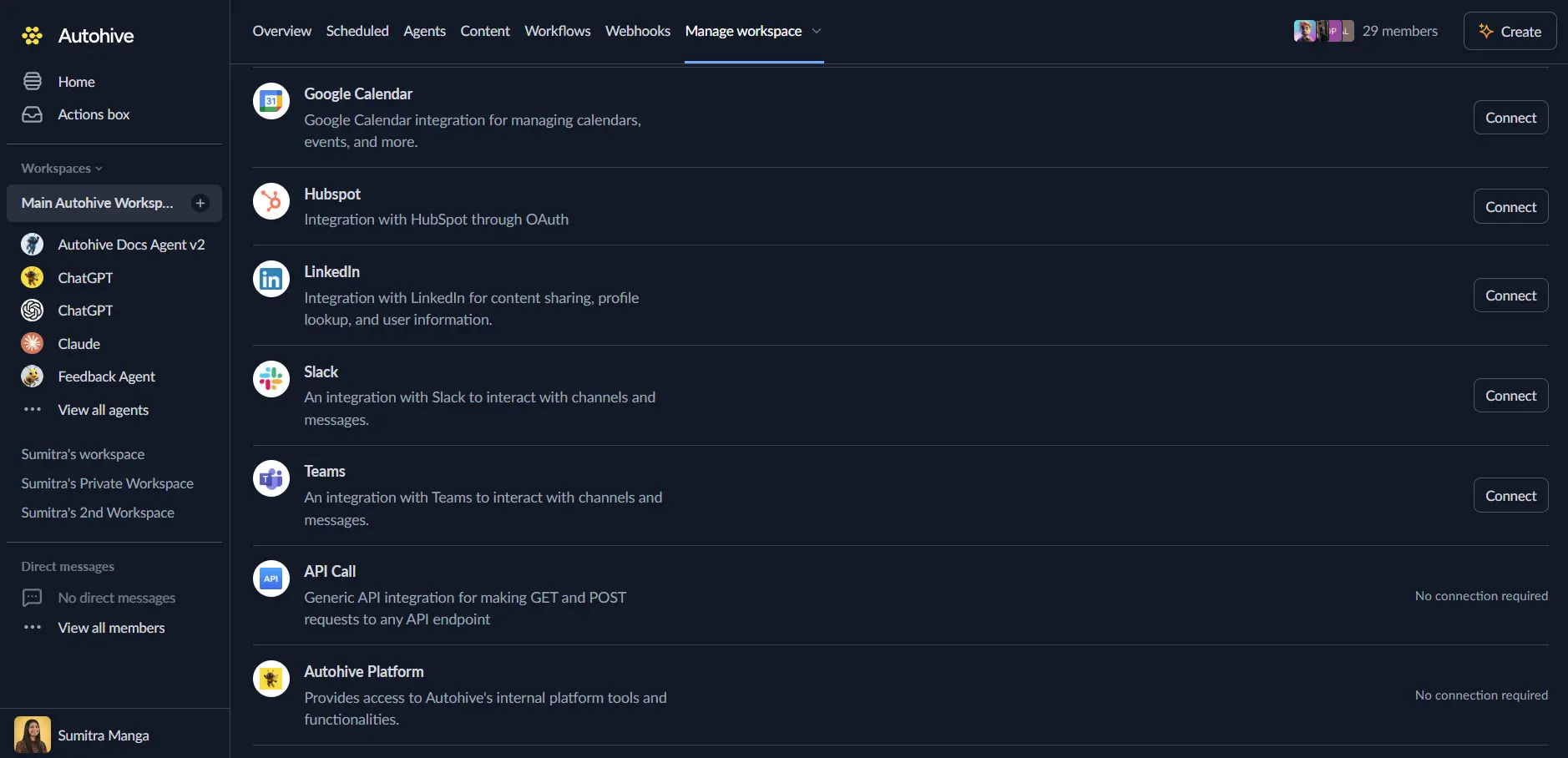
You’ll be redirected to Wispr Flow — log in with your Wispr Flow account (Notetaker and Cloud Sync must be enabled on your account) and authorise Autohive to access the MCP server
You’ll be redirected back to Autohive with the integration showing as “Connected”
Use the integration
You can now use the integration with your agents, workflows, and scheduled tasks!
- Follow our Create your first agent guide on how to create an agent.
- In the Agent settings, scroll down to the Add capabilities section and turn on the Wispr Flow capability. You can choose which individual Wispr Flow capabilities to turn on and off.
- Once the settings have been selected, begin prompting the agent with the workflow you’d like to achieve with Autohive and Wispr Flow!
Available capabilities
Meetings
- Search Meetings - Search your Wispr Flow meeting summaries and transcripts
- Read Meeting Details - Retrieve a meeting’s full summary and transcript content
Scratchpad notes
- Search Notes - Search your Wispr Flow scratchpad notes
- Read Notes - Retrieve the content of a specific scratchpad note
- Create Notes - Create a new scratchpad note
- Update Notes - Update the content of an existing scratchpad note
Tasks
- Search Tasks - Search tasks captured from your meetings
- Read Tasks - Retrieve a specific task’s details
- Create Tasks - Create a new task
- Update Task Status - Update the status of an existing task
Calendar
- Read Calendar Events - Retrieve calendar events synced to your Wispr Flow account
Key features
Meeting recall without pasting transcripts
Ask an agent about a past meeting directly — it can search and read Notetaker summaries and transcripts without you needing to copy and paste anything in.
Read/write notes and tasks
Beyond reading, agents can create and update scratchpad notes and tasks on your behalf, turning meeting follow-up into something an agent can action directly.
Deleted transcript protection
If a meeting transcript has been removed under a data retention policy, the integration is told it’s deleted and never receives its contents — deleted data stays deleted.
Account-based, no local files required
The connection pulls from your Wispr Flow account directly rather than files on your machine, so Wispr Flow doesn’t need to be running for the integration to work.
Common use cases
Meeting recap and follow-up
- Ask an agent what the action items were from this week’s meetings
- Summarise the last several calls with a specific team or client
- Find the meeting where a decision was made and pull the exact quote
Task automation from meetings
- Automatically create tasks from action items identified in a meeting
- Update task status as work is completed, without opening Wispr Flow directly
Note-taking co-pilot
- Search existing scratchpad notes for related context before a meeting
- Create or update notes with an agent’s summary of a call
Calendar-aware scheduling
- Check upcoming calendar events before scheduling follow-up work or reminders
Disconnect the integration
- Navigate to Your user profile → Connections or Your workspace → Manage workspace
- Find the Wispr Flow Integration
- Click Disconnect and confirm
Data Impact: Existing data in your Wispr Flow account, including your meeting notes, tasks, and calendar sync, remains completely unchanged. Disconnecting only removes Autohive’s API access.
About Wispr Flow
Wispr Flow is a voice dictation and meeting Notetaker app. Its remote MCP server gives connected AI tools authenticated, account-based access to Notetaker data — meeting summaries and transcripts, scratchpad notes, tasks, and calendar events — without exposing your voice dictations. The MCP connection is currently available on Mac as part of the Notetaker beta, with more platforms planned.