Land Information New Zealand (LINZ)
The Autohive Land Information New Zealand (LINZ) integration connects you to the LINZ Data Service (LDS) via its Web Feature Service (WFS) API, enabling:
- Owner name matching across properties - Find owner names that appear on more than one property title within a scoping filter (the integration’s headline use case)
- Property title search - Search NZ property titles by owner name, title number, land district or status
- Title owner lookup - Retrieve the registered owners and details of a single title by title number
- Parcel search - Search primary parcels by legal description (appellation), associated title, intent or district
- Raw layer queries - Run direct WFS queries against any LDS layer or table not covered by the typed actions
- Connection diagnostics - List the layers your API key can query, which also confirms your key and licence are set up correctly
Install the integration
Prerequisites
Ensure that you have applied for the LINZ License for personal data. This will then give you access to the layer which fetches specfic data in this integration.
Log in to Autohive and navigate to Your user profile > Connections or Your workspace -> Integrations
Locate the LINZ Integration card and click Connect to workspace
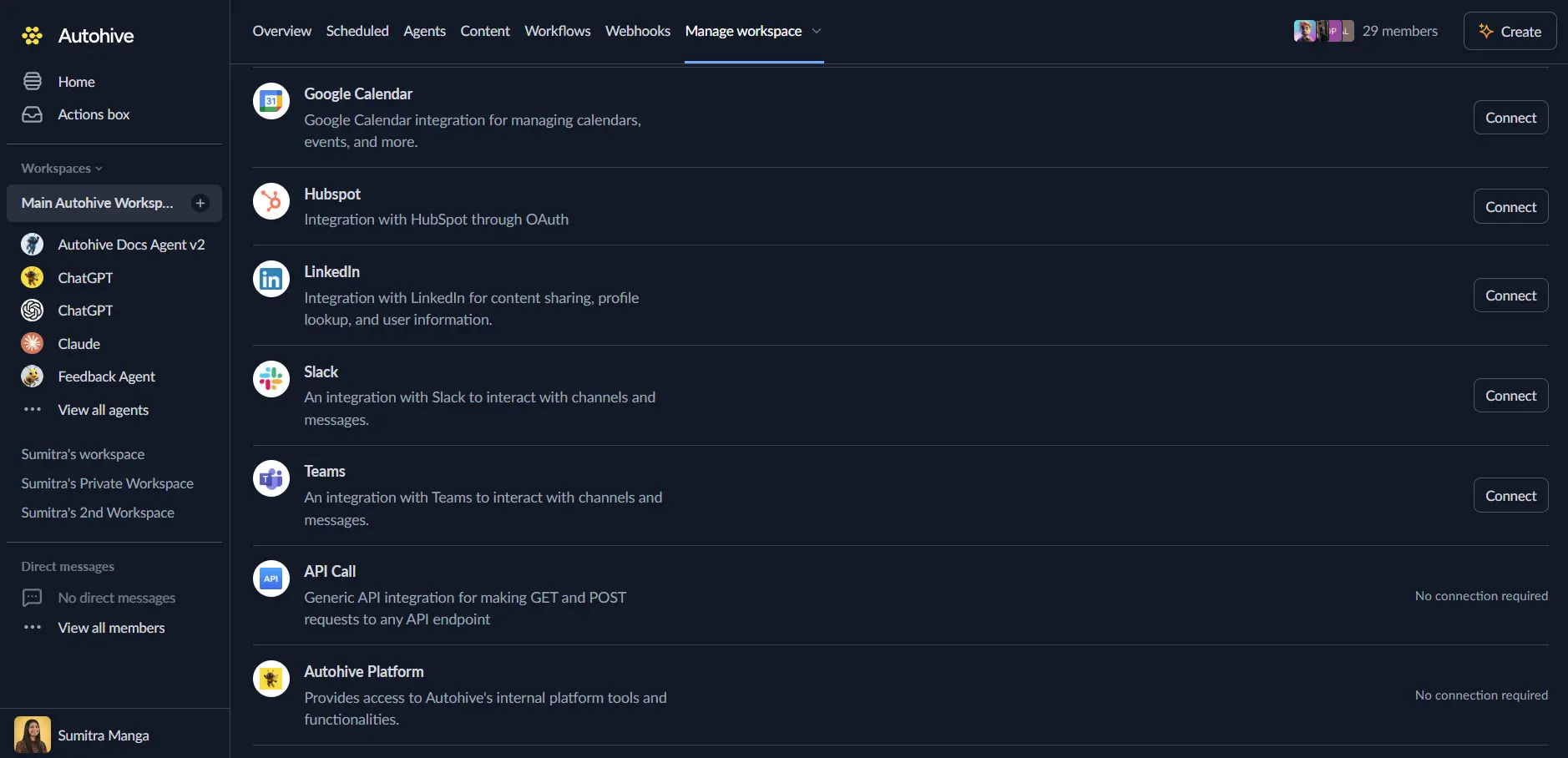
Authenticate - this integration uses a per-user LINZ Data Service API key:
- Sign in (or register) at data.linz.govt.nz
- Create an API key at data.linz.govt.nz/my/api/
- When creating the key, enable the query/web-services (WFS) scope if you are not selecting all scopes to be accessible - a key without it is still valid but can see zero layers, and every data action will fail
- To read ownership data, your LINZ account must also hold the LINZ Licence for Personal Data (apply here), and the key must have access to the relevant layer
Confirm installation - you’ll see “Connected” status displayed
Use the integration
You can now use the integration with your agents, workflows and scheduled tasks!
- Follow our Create your first agent guide on how to create an agent.
- In the ‘Agent settings’, scroll down to the ‘Add Integrations and Agents’ section, click ‘Add integrations and agents’, and select LINZ. You can choose what individual LINZ capabilities to turn on and off.
- Once the settings have been selected, begin prompting the agent with the workflow you’d like to achieve with Autohive and LINZ!
Available capabilities
Connection Diagnostics
- List Available Layers: List the LINZ Data Service layers your API key can query, via WFS GetCapabilities. Works with any valid key regardless of layer permissions, so it doubles as a connection diagnostic - an empty list means the key lacks the query/web-services scope. Also reports whether the key can access the specific layers this integration’s other actions depend on.
Ownership Research
- Find Matching Owner Names Across Titles: The headline use case. Scans the NZ Property Title Owners layer within a required scoping filter (an owner name and/or land district) and groups distinct titles by normalised owner name, returning groups spanning at least a minimum number of titles (default 2), sorted by count. Each title in a group can be enriched with its estate description and type. Important: this finds matching owner names, not verified common ownership - see Key features below.
- Get Title Owners: Look up the full registered owners and details of a single property title by its title number, including owner type, estate share, and prime/corporate names, sourced from the normalised owners table where available.
Title and Parcel Search
- Search Property Titles: Search NZ property titles (including an aggregated owners display string) by owner name, title number, land district or status.
- Search Parcels: Search NZ primary parcels by legal description (appellation), associated title number, parcel intent (tenure type, e.g. Fee Simple, Road) or land district.
Advanced Querying
- Query LDS Layer: Escape hatch for data not covered by the typed actions (e.g. street addresses, geodetic marks, other ownership tables). Runs a raw WFS GetFeature query against any LDS layer or table using a layer id and an optional CQL filter.
Key features
Owner Name Matching is Not Identity
The Find Matching Owner Names Across Titles action groups titles by owner name text, not a verified identity:
- LINZ’s ownership layer exposes no stable cross-title person or entity identifier, so a name match is not proof of common ownership
- Same-name individuals or entities can be conflated into a single group, inflating the reported property count
- Name variants (initials vs full names, punctuation, a trading name vs a registered company name) can split one real owner across several groups
- Treat results as candidates for further verification - use Get Title Owners to confirm a title’s actual registered owner records
Licensed Data and Per-User Authentication
- Ownership data (titles-with-owners and the normalised owners table) is licensed personal data, so this integration uses a per-user API key rather than a shared connected account
- Reading ownership layers requires your LINZ account to hold the LINZ Licence for Personal Data in addition to a valid API key with the WFS scope enabled
- Access to every layer, including via the raw Query LDS Layer action, is governed entirely by your own key’s permissions and licence
CQL Filtering and Pagination
- Typed actions build case-insensitive (
ILIKE) substring matches for names and appellations, and exact matches for districts and statuses - The raw Query LDS Layer action accepts hand-written CQL filters, which are case-sensitive for both attribute names and values
- Geometry is omitted from results by default to save tokens; pass
include_geometry: trueon Search Parcels or Query LDS Layer to include it - List actions cap results at 1000 records per request (2000 for List Available Layers); use
start_indexto page through larger result sets
No Commercial vs Residential Classification
LINZ title and ownership data does not classify a property as commercial or residential - that distinction lives in council/Quotable Value (QV) rating data, which is outside LINZ. The integration surfaces the descriptors LINZ does have (estate description on titles, parcel intent/tenure type on parcels) so an agent can make an informed inference, but it cannot definitively label a property’s use type.
No Automatic Retries or Rate-Limit Handling
This integration issues its LINZ requests directly rather than through retry-aware infrastructure, so that request errors never leak the API key or a searched owner name into logs. As a trade-off, it does not automatically retry failed requests, back off, or honour rate-limit headers - a transient failure or a 429 is returned to the caller as an error, so calling workflows should implement their own retry with delay, particularly around the Find Matching Owner Names Across Titles action, which can issue several sequential requests per call.
Common use cases
Property Ownership Investigation
- Identify owner names that appear across multiple property titles within a district or surname scope, as a starting point for further verification
- Confirm a title’s exact registered owners before treating a name match as significant
- Support due diligence or journalism research into property portfolios, always treating name-matched results as candidates rather than conclusions
Title Search and Verification
- Search for property titles by owner name, title number, land district or status
- Look up a specific title’s registered owners, estate description and registration details ahead of a transaction
- Cross-reference titles with their associated parcels for full property context
Parcel and Legal Description Lookup
- Search parcels by legal description (appellation) to resolve a lot/DP reference to full parcel details
- Look up parcels associated with a given title number
- Filter parcels by tenure type (parcel intent) such as Fee Simple or Road
Data Access and Diagnostics
- Verify a new API key’s access and licensing before building a workflow around it
- Reach datasets not covered by the typed actions - such as street addresses or geodetic marks - via the raw layer query action
- Page through large result sets using
start_index, sorted by the layer’s id for deterministic ordering
Notes
- Ownership matching is name-based, not identity-based. Always treat Find Matching Owner Names Across Titles results as candidates for verification, not confirmed common ownership - see Key features.
- A scoping filter is required for owner matching. The ownership layer is national in scope and cannot be scanned in full, so an owner name and/or land district filter must be supplied.
- The aggregated owners field is not safely splittable. Real owner names can contain commas, so the integration never parses the
ownersdisplay string returned by Search Property Titles to enumerate individual owners - use Get Title Owners or Find Matching Owner Names Across Titles instead. - No commercial/residential classification is available - see Key features.
- No retries, backoff, or rate-limit handling - see Key features.
- Ownership data requires a licence. Requests against licensed ownership layers fail with a clear licence-related error if your account lacks the LINZ Licence for Personal Data, even with an otherwise valid API key.
Disconnect the integration
Important: Disconnecting removes access to the LINZ Data Service from your Autohive workspace.
- Navigate to Your user profile -> Connections or Your workspace -> Integrations
- Find the LINZ Integration
- Click Disconnect and confirm
Data Impact: Disconnecting stops API access using your stored key but does not affect any data held in the LINZ Data Service or your LINZ account.
About LINZ
Land Information New Zealand (LINZ) is the New Zealand government agency responsible for land titles, geodetic and cadastral survey systems, and topographic and hydrographic information. The LINZ Data Service (LDS) is LINZ’s official open data platform, providing access to property, title, ownership and parcel data for New Zealand via web services including WFS.