Gorgias
The Autohive Gorgias integration connects your Gorgias helpdesk with Autohive’s automation platform, enabling:
- Ticket management - read, reply to, and update helpdesk tickets, including status, priority, and tags
- Customer and conversation access - look up customer data and review conversation history
- Macros - list, apply, create, and update canned response macros
- Helpdesk configuration - audit and update settings, rules, actions, product information, and help center articles
- AI Agent auditing - review your Gorgias AI Agent’s guidance and handover conditions, and preview how it would respond to a message
- Support analytics - pull response time breakdowns, ticket volume trends, and agent performance data
Install the integration
Note your Gorgias subdomain - the
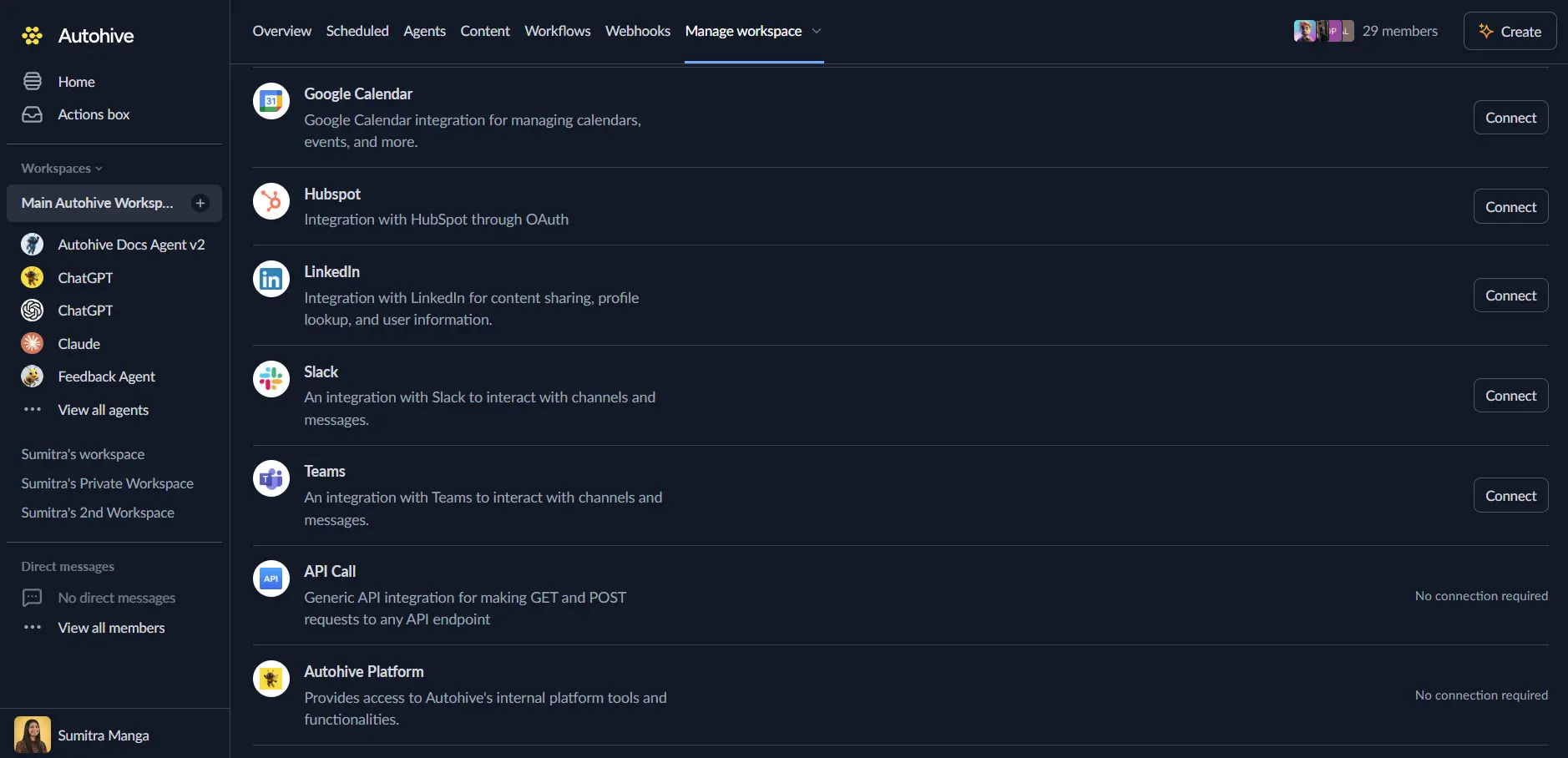
your-brandpart of your account URL (your-brand.gorgias.com)Log in to Autohive and navigate to Your user profile > Connections or Your workspace -> Manage workspace
Locate the Gorgias Integration card and click Connect
Enter your Gorgias subdomain when prompted, then sign in to Gorgias and authorize access
Confirm installation
Use the integration
You can now use the integration with your agents, workflows and scheduled tasks!
- Follow our Create your first agent guide on how to create an agent.
- In the ‘Agent settings’, scroll down to the ‘Add capabilities’ section and turn on the Gorgias capability. You can choose what individual Gorgias capabilities to turn on and off.
- Once the settings have been selected, begin prompting the agent with the workflow you’d like to achieve with Autohive and Gorgias!
Available capabilities
Tickets
- List/Get Tickets: Read and analyze helpdesk tickets
- Reply to Ticket: Reply to a customer on an existing ticket
- Add Internal Note: Post an internal note on a ticket
- Update Ticket: Update a ticket’s status, priority, or tags
Customers and conversations
- Get Customer: Access customer data associated with tickets
- Review Conversation: Review the message history on a conversation
Macros
- List Macros: Browse and search your macro library
- Apply Macro: Apply a macro to a ticket
- Create/Update Macro: Create and update canned response macros
Helpdesk configuration
- Manage Rules and Actions: Audit and update helpdesk rules and support actions
- Manage Product Information: Edit product information used by the helpdesk
- Manage Help Center Articles: Edit help center articles
AI Agent auditing
- Review AI Agent Guidance: Review your Gorgias AI Agent’s handover conditions and guidance
- Preview AI Agent Response: Preview how the AI Agent would respond to a given message before enabling a change
Analytics
- Get Response Time Breakdown: Pull response time analytics
- Get Ticket Volume Trends: Pull ticket volume trend data
- Get Agent Performance Data: Pull performance data for support agents
Key features
Helpdesk automation
- Read, reply to, and update tickets without leaving your agent workflow
- Keep tags and taxonomies consistent across large volumes of tickets
Macro management
- Apply macros to tickets directly from an agent workflow
- Audit and update your macro library to keep it relevant
AI Agent oversight
- Audit your Gorgias AI Agent’s setup and guidance before changes go live
- Preview responses to catch issues before they reach customers
Support insights
- Surface response time, volume, and performance trends
- Identify redundant tags, unused macros, and outdated rules
Common use cases
Ticket triage and response
- Have an agent draft replies to routine tickets, then post them or hand off for human review
- Automatically tag and prioritize incoming tickets based on their content
- Summarize long ticket threads before an agent responds
Helpdesk housekeeping
- Audit your tag taxonomy for duplicates or unused tags
- Find rules and macros nobody has used recently
- Review permission and role misalignments across your support team
AI Agent quality checks
- Preview how your AI Agent would respond to sample customer messages before enabling new guidance
- Review handover conditions to make sure escalations reach the right team
Notes
- What an agent can see and do maps to the Gorgias role/permissions of the connected account.
- This integration does not support voice/phone channels - it is text and ticket data only.
- Support analytics are powered by Gorgias’s Reporting Stats API and reflect near-real-time operational metrics; some deeply custom aggregations may not be available depending on the metric.
Disconnect the integration
Important: Disconnecting stops API access but preserves existing data in both systems.
- Navigate to Your user profile -> Connections or Your workspace -> Manage workspace
- Find the Gorgias Integration
- Click Disconnect and confirm
Data Impact: Existing data remains unchanged in both systems, but sync stops and Autohive loses Gorgias API access.