COUNT
The Autohive COUNT integration connects your COUNT accounting workspace with Autohive’s automation platform, enabling:
- Transaction management - List, create, categorise, split, and track bank transactions (including reconciliation status)
- Invoicing and bills - Create, send, and track customer invoices and vendor bills, including recurring invoice templates
- Chart of accounts - Manage accounts, vendors, customers, and products/services
- Budgeting - Create and manage budgets, budget versions, and budget grids
- Financial reporting - Generate trial balance, profit and loss, and balance sheet reports
- Project and time tracking - Manage projects, tasks, and time entries
- Expense capture - Create and match expense receipts to transactions
- Multi-workspace & firm tools - List every workspace the connection can access, and (for accounting firm connections) manage practice-management tasks/time and consolidated multi-client reports
Install the integration
COUNT uses OAuth authentication through its hosted MCP connector.
Log in to your COUNT workspace
Log in to Autohive and navigate to Your user profile > Connections or Your workspace → Manage workspace
Locate the COUNT Integration card and click Connect
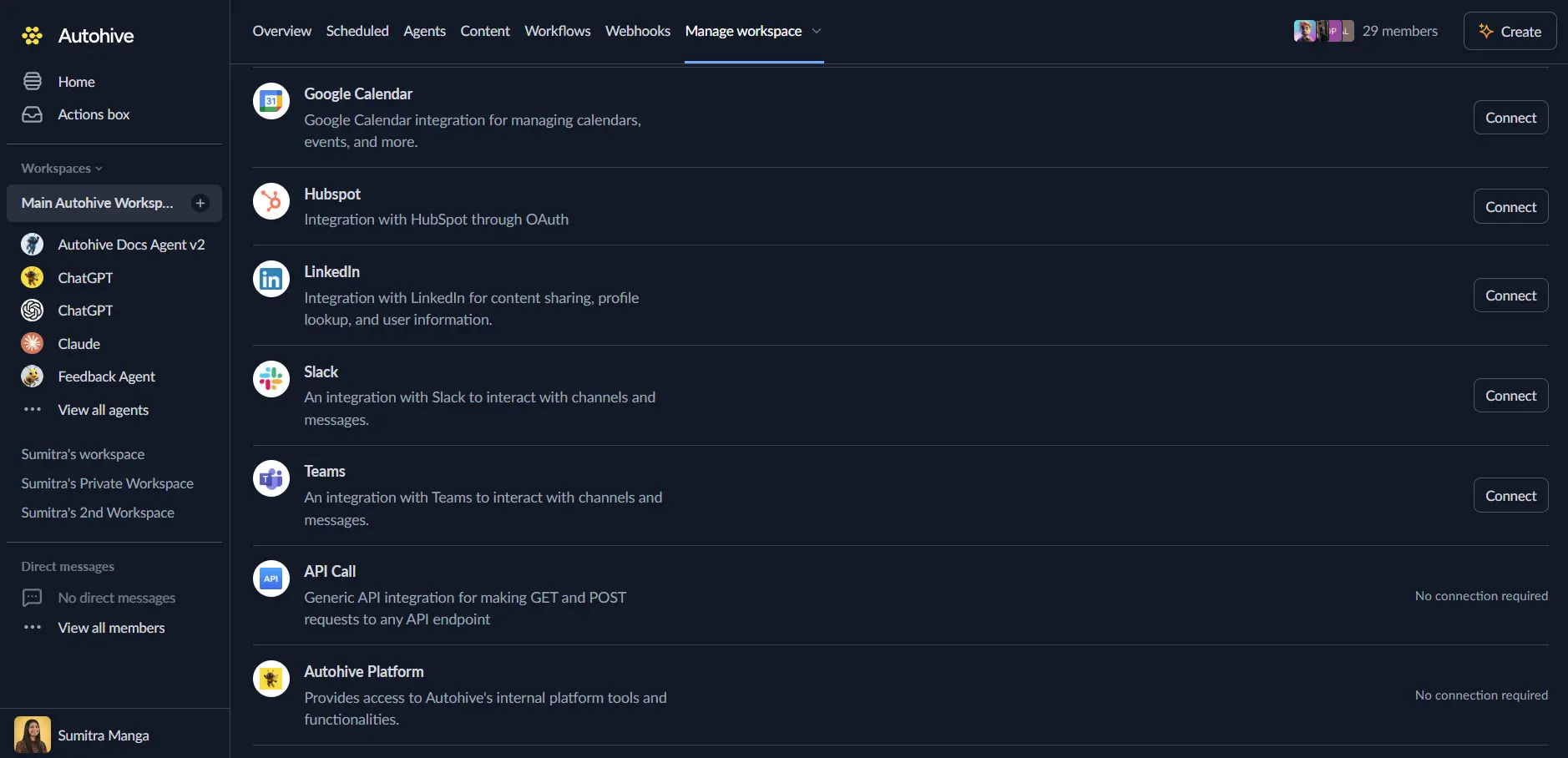
You’ll be redirected to COUNT — log in and authorise Autohive to access your workspace
Select the workspace you want to connect, if your account has access to more than one
You’ll be redirected back to Autohive with the integration showing as “Connected”
Use the integration
You can now use the integration with your agents, workflows, and scheduled tasks!
- Follow our Create your first agent guide on how to create an agent.
- In the Agent settings, scroll down to the Add capabilities section and turn on the COUNT capability. You can choose which individual COUNT capabilities to turn on and off.
- Once the settings have been selected, begin prompting the agent with the workflow you’d like to achieve with Autohive and COUNT!
Available capabilities
COUNT exposes a broad set of accounting capabilities, grouped below by area.
Transactions
- List / Get Transaction - List and retrieve bank transactions
- Create / Bulk Create Transaction - Create one or many transactions
- Update Transaction - Update a transaction’s details
- Change Transaction Category - Set, change, or clear a transaction’s category
- Assign Transaction to Bills/Invoices - Match a transaction to an existing bill or invoice
- Split Transaction - Split a single transaction across multiple categories or accounts
- Delete Transaction - Remove a transaction
Chart of accounts
- List Accounts / Account Sub-Types - List accounts and their sub-types
- Create Account - Create a new account
- Update / Delete Account - Modify or remove an account
Vendors & customers
- List / Create / Update / Delete Vendor - Manage vendor records
- List / Get / Create / Bulk Create / Update / Bulk Update / Delete Customer - Manage customer records
People & products
- List / Get Person - Look up people records in the workspace
- List / Get / Create / Update / Delete Product - Manage products and services
Tags & tag groups
- List / Get / Create / Update / Delete Tag - Manage tags
- List / Get / Create / Update / Delete Tag Group - Manage tag groups
Invoices & recurring templates
- List / Get / Create / Update / Delete Invoice - Manage customer invoices
- Approve / Send Invoice - Approve and send an invoice
- Get Invoice Public Link / Audit Log / Send History - Retrieve sharing links and history for an invoice
- Add Invoice Attachments From URLs - Attach files to an invoice
- Apply Multiple Credits to Single Invoice / Apply Single Credit to Multiple Invoices / Remove Invoice Credit - Manage credits applied to invoices
- Remove Invoice Transaction - Remove a transaction match from an invoice
- List / Get / Create / Update / Delete Recurring Invoice Template - Manage recurring invoice templates
- Pause / Resume Recurring Invoice Template - Control recurring template scheduling
Bills
- List / Get / Create / Update / Delete Bill - Manage vendor bills
- Approve Bill - Approve a bill for payment
- Apply Vendor Memos to Bill - Apply a vendor credit memo to a bill
- Unassign Bill Transaction - Remove a transaction match from a bill
Journal entries & budgets
- List / Create / Bulk Create / Update / Delete Journal Entry - Manage manual journal entries
- List Budgets / Get Overall Budget / Get Budget / Get Budget Grid - Retrieve budgets and budget detail views
- Create / Update / Duplicate / Publish / Archive Budget - Manage the budget lifecycle
- List Budget Versions / Create Budget Version - Manage budget versions
- Update / Bulk Update Budget Cells - Edit individual or bulk budget line values
Projects, tasks & time
- List / Get / Create / Update / Delete Task - Manage tasks
- List Projects / Project Statuses / Get Project / List Project Tasks / Create / Update / Delete Project - Manage projects
- List / Get / Create / Update / Delete Time Entry - Track time against projects and tasks
Expense receipts
- List Expense Receipts / List Unmatched Expense Receipts - List captured receipts
- Create / Update / Delete Expense Receipt - Manage receipt records
- Match / Unmatch Expense Receipt - Manually match or unmatch a receipt to a transaction
Reports & payroll
- Generate Trial Balance - Produce a trial balance report
- Generate Profit and Loss - Produce a profit and loss report
- Generate Balance Sheet - Produce a balance sheet report
- Get All Pay Periods / Get Pay Period by ID - Review payroll pay periods and per-employee payroll detail (requires a COUNT plan with payroll enabled)
- Generate Payroll Journal Report - Build an aggregate payroll journal across a date range, for quarterly tax summaries and deduction totals (requires a COUNT plan with payroll enabled)
Practice manager (accounting firm connections)
If your COUNT connection has accounting-firm scope, additional tools are available for managing the firm’s practice, separate from any single client workspace:
- List / Get / Create / Update / Delete Task (firm-scoped) - Manage Practice Manager tasks across the firm and its linked client workspaces
- List / Get / Create / Update / Delete Time Entry (firm-scoped) - Track firm staff time, separate from client-workspace billing time entries
- List Projects (firm-scoped) - Roll up projects across every linked client workspace
- Firm Balance Sheet / Firm Profit and Loss / Firm Account Transactions - Consolidated financial reports across multiple client workspaces that share a base currency
Workspace
- Get Workspace Stats - Retrieve a CFO-style dashboard snapshot (cash, profitability, receivables, payables, tax obligations, connections) for the workspace
- List Workspaces - List every COUNT workspace this connection is authorised to access
Key features
Bulk operations for high-volume work
Several resources (transactions, customers, journal entries, budget cells) support bulk create/update variants, reducing round-trips when migrating or reconciling large volumes of records.
Full invoice and bill lifecycle
Beyond basic CRUD, invoices and bills support approval, sending, credit application, attachment handling, and audit/send history — covering the full workflow from creation to payment reconciliation.
Budget versioning
Budgets support multiple versions, publishing, archiving, and duplication, supporting scenario planning and iterative budget cycles.
Built-in financial reporting
Generate trial balance, profit and loss, and balance sheet reports directly, without needing to reconstruct them from raw transaction data.
Multi-entity reporting for accounting firms
Firm-scoped connections can generate consolidated balance sheet, profit & loss, and account transaction reports across multiple client workspaces that share a base currency — useful for firm-wide reviews without switching between workspaces.
Common use cases
Automated bookkeeping
- Categorise incoming bank transactions automatically based on rules or AI classification
- Split transactions across multiple accounts or categories
- Reconcile transactions against invoices and bills as they’re matched
Invoicing and collections
- Create and send customer invoices from other systems (e.g. a project management or CRM tool)
- Track invoice status and follow up on overdue invoices using send history and public links
- Apply customer credits automatically when available
Vendor bill management
- Create bills from received vendor invoices and route them for approval
- Apply vendor memos and match bills to bank transactions automatically
Financial reporting and budgeting
- Generate profit and loss or balance sheet reports on a schedule and distribute them automatically
- Update budget cells as actuals come in, and compare budget versions over time
Accounting firm workflows
- Roll up Practice Manager tasks and staff time entries across every linked client workspace
- Generate consolidated financial statements across multiple clients that share a base currency
Disconnect the integration
- Navigate to Your user profile → Connections or Your workspace → Manage workspace
- Find the COUNT Integration
- Click Disconnect and confirm
Data Impact: Existing data in your COUNT workspace remains completely unchanged. Disconnecting only removes Autohive’s API access.