What are skills
A skill is a set of reusable instructions that teaches your agents how to do a specific task, and once you’ve created it, every agent in your workspace can use it when it’s relevant. Instead of explaining the same procedure to an agent over and over, you capture it once as a skill.
For example, a “summarise customer calls” skill might tell an agent how to pull a transcript, what to highlight, and how to format the summary. Any agent that gets a request matching that description can pick the skill up and follow it.
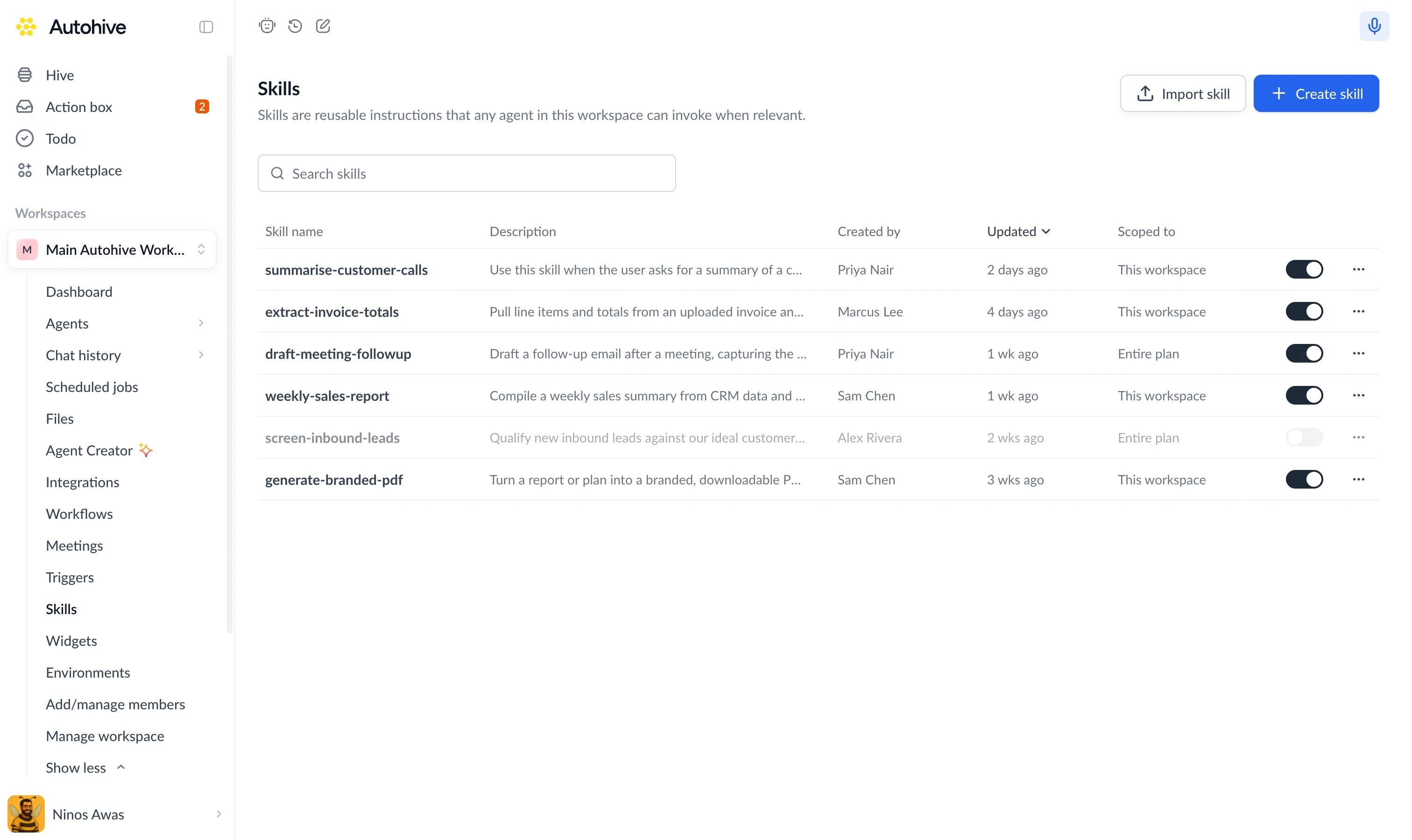
You’ll find everything to do with skills on the Skills page in your workspace.
What makes up a skill
You build a skill by filling in a few fields in the skill editor (there’s no file to write by hand):
| Part | What it’s for |
|---|---|
| Skill name | A short, action-led name like summarise-customer-calls. |
| Description | When agents should use the skill: the kind of request or situation that should trigger it. |
| Instructions | The step-by-step guidance the agent follows: what to gather, what to do, and what to return. |
A skill can also include optional extras, all added from the editor:
- Supporting files: extra instructions, scripts the agent can run, or templates and other assets.
- Integration actions: references to your connected tools (like “HubSpot: Search Contacts”) that the skill can use directly.
How agents use skills
Agents don’t load every skill all the time. They work through skills in stages, so they can have many available without slowing down:
- They see what’s available: an agent knows the name and description of every skill it can use, and nothing more. That’s enough to recognise when one might help.
- They open the right one: when a request matches a skill’s description, the agent reads the full instructions.
- They follow it: running any scripts or calling any integration actions the skill includes.
Because agents decide based on the description, a clear, specific description is the single most important thing for getting a skill used at the right moment. Write it about when to use the skill, not just what it does.
Where skills live
Skills are managed from the Skills page. Each skill has an availability switch there: turn it on to make it usable by agents in the workspace, or off to hold it back. Plan-wide skills appear in every workspace automatically, and a workspace can opt out by switching one off (unless the plan has locked it on).
A skill is available at one of two levels:
| Level | Available to | Set up by |
|---|---|---|
| Workspace | Every agent in that workspace | Anyone creating a skill in the workspace |
| Plan | Every agent in every workspace across the plan | Created on the plan’s Skills page |