X (formerly Twitter)
The Autohive X integration connects your X (formerly Twitter) account with Autohive’s automation platform, enabling:
- Post creation and management - Create posts with text, media (images, GIFs, videos), polls, replies, and quotes
- Post retrieval and search - Get specific posts by ID, search posts by query, and retrieve user timelines
- User interactions - Follow/unfollow users, get user profiles, and manage your authenticated user information
- Engagement features - Repost and undo reposts, bookmark posts, and retrieve bookmarked content
- Media support - Upload and attach images, GIFs, and videos to posts with automatic media handling
- Advanced post features - Create polls with customizable options and duration, reply to posts, and quote posts
Install the integration
Log in to Autohive and navigate to Your user profile > Connections or Your workspace -> Integrations
Locate the X (formerly Twitter) Integration card and click Connect to workspace
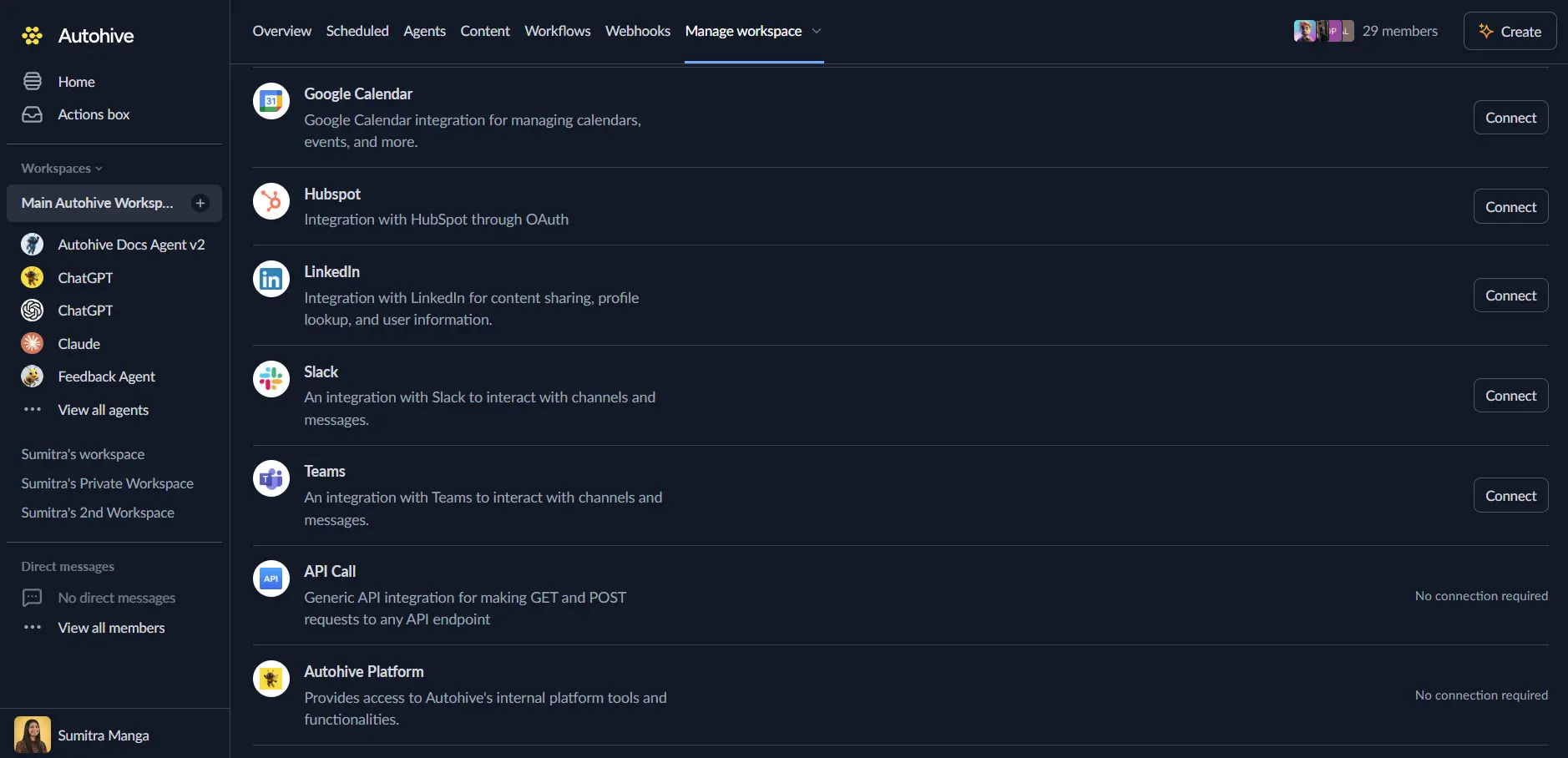
Authorize with X - you’ll be redirected to X’s authorization page
Review and approve permissions. Autohive requests access to:
- Read and write posts
- Read and write follows
- Upload and manage media
- Read and write bookmarks
- Access user information
Ensure you approve the permissions required in order for the integration to function as expected.
Confirm installation - you’ll be redirected to Autohive with “Connected” status displayed
Use the integration
You can now use the integration with your agents, workflows and scheduled tasks!
- Follow our Create your first agent guide on how to create an agent.
- In the ‘Agent settings’, scroll down to the ‘Add Integrations and Agents’ section, click ‘Add integrations and agents’, and select X (formerly Twitter). You can choose what individual X capabilities to turn on and off.
- Once the settings have been selected, begin prompting the agent with the workflow you’d like to achieve with Autohive and X!
Available capabilities
Post Management
- Create Post: Create new posts with text (max 280 characters for standard accounts), optional media, polls (2-4 options), replies, and quotes
- Get Post: Retrieve detailed information about specific posts by ID with optional user information and engagement metrics
- Delete Post: Permanently delete posts from your X account
- Search Posts: Search for posts matching a query with support for X search operators, date ranges, and pagination (10-100 results per page)
User Timeline and Content
- Get User Posts: Retrieve posts from a user’s timeline with filtering options to exclude replies and reposts (5-100 results per page)
- Get Liked Posts: Access posts liked by a specific user with pagination support (5-100 results per page)
- Get Bookmarks: Retrieve the authenticated user’s bookmarked posts with pagination (1-100 results per page)
User Management
- Get User: Retrieve user profile information by ID or username including bio, followers, and verification status
- Get Authenticated User: Access the authenticated user’s profile information and account details
- Follow User: Follow users on X to receive their posts in your timeline
- Unfollow User: Unfollow users to stop receiving their posts
Engagement Actions
- Repost: Repost (retweet) posts to share content with your followers
- Undo Repost: Remove a repost from your timeline
- Bookmark Post: Save posts to your bookmarks for later reference
- Remove Bookmark: Remove posts from your bookmarks collection
Key features
Rich Media Support
- Upload and attach images (JPEG, PNG), GIFs, and videos (MP4) to posts
- Base64-encoded file content support for seamless media handling
- Automatic media ID generation and attachment to posts
- MIME type detection for proper media processing
Advanced Post Creation
- Reply to existing posts by providing the post ID to create threaded conversations
- Quote posts to add commentary while sharing others’ content
- Create polls with 2-4 options and customizable duration (default 24 hours)
- Character limit enforcement for standard accounts (280 characters)
Comprehensive Search and Discovery
- Search posts using X’s powerful search operators for advanced queries
- Filter search results by date range with ISO 8601 timestamps
- Paginate through search results with next_token support
- Include user information and additional context in search results
User Engagement Tracking
- Access engagement metrics including likes, reposts, replies, and impressions
- Track user activity with timeline filtering for replies and reposts
- Monitor liked posts to understand user interests and engagement patterns
- Manage bookmarks for content curation and later reference
Timeline and Content Management
- Retrieve user timelines with up to 100 posts per request
- Exclude replies or reposts for focused content feeds
- Pagination support for browsing historical posts
- Access both public user timelines and authenticated user data
Enterprise-Ready Authentication
- OAuth 2.0 platform authentication with PKCE for enhanced security
- Offline access support for long-running automation workflows
- Comprehensive scope management for granular permission control
- Secure token handling with automatic refresh capabilities
Common use cases
Social Media Automation
- Schedule and automatically post content to X at optimal times
- Cross-post content from blogs, newsletters, or other platforms to X
- Create recurring posts for promotions, announcements, or updates
- Automate post deletion after time-sensitive content expires
Content Curation and Sharing
- Search for trending topics and automatically repost relevant content
- Monitor specific keywords and bookmark interesting posts for review
- Share content from RSS feeds or news sources with automated posting
- Quote posts with AI-generated commentary for thought leadership
Engagement and Community Management
- Automatically follow users who mention your brand or specific keywords
- Track and respond to mentions, replies, and direct engagement
- Monitor liked posts to identify brand advocates and engaged users
- Bookmark customer feedback posts for product development insights
Analytics and Monitoring
- Track post performance with engagement metrics and click data
- Search for brand mentions and competitor activity across X
- Monitor hashtag usage and trending topics in your industry
- Aggregate user timeline data for content analysis and insights
Campaign and Event Management
- Create polls to gather audience feedback and opinions
- Post event updates with media attachments and relevant hashtags
- Thread replies for live-tweeting events or product launches
- Quote posts from attendees or participants to amplify event reach
Multi-Account Management
- Manage posts across multiple X accounts for brands or clients
- Coordinate social media campaigns with synchronized posting
- Monitor multiple user timelines for competitive intelligence
- Automate engagement actions across team or organizational accounts
Disconnect the integration
Important: Disconnecting stops data synchronization but preserves existing data in both systems.
- Navigate to Your user profile -> Connections or Your workspace -> Integrations
- Find the X (formerly Twitter) Integration
- Click Disconnect and confirm
Data Impact: Existing data remains unchanged in both systems, but sync stops and Autohive loses X API access.
Uninstall the app
From X: Go to your X Settings > Security and account access > Connected apps > Find Autohive and revoke access.