TikTok
The Autohive TikTok integration connects your TikTok account with Autohive’s automation platform, enabling:
- Video posting - Post videos directly to TikTok with captions, hashtags, privacy settings, and engagement controls
- Draft management - Upload videos as drafts to your TikTok inbox for later editing and posting
- Photo posts - Create photo posts with up to 35 images, captions, and automatic music
- User profile access - Retrieve account information including display name, bio, follower count, and engagement statistics
- Creator insights - Get posting capabilities, privacy options, and feature restrictions for your account
- Video analytics - List published videos with engagement metrics including views, likes, comments, and shares
- Post tracking - Monitor upload and publishing status for videos and drafts with real-time status updates
Install the integration
Log in to Autohive and navigate to Your user profile > Connections or Your workspace -> Integrations
Locate the TikTok Integration card and click Connect to workspace
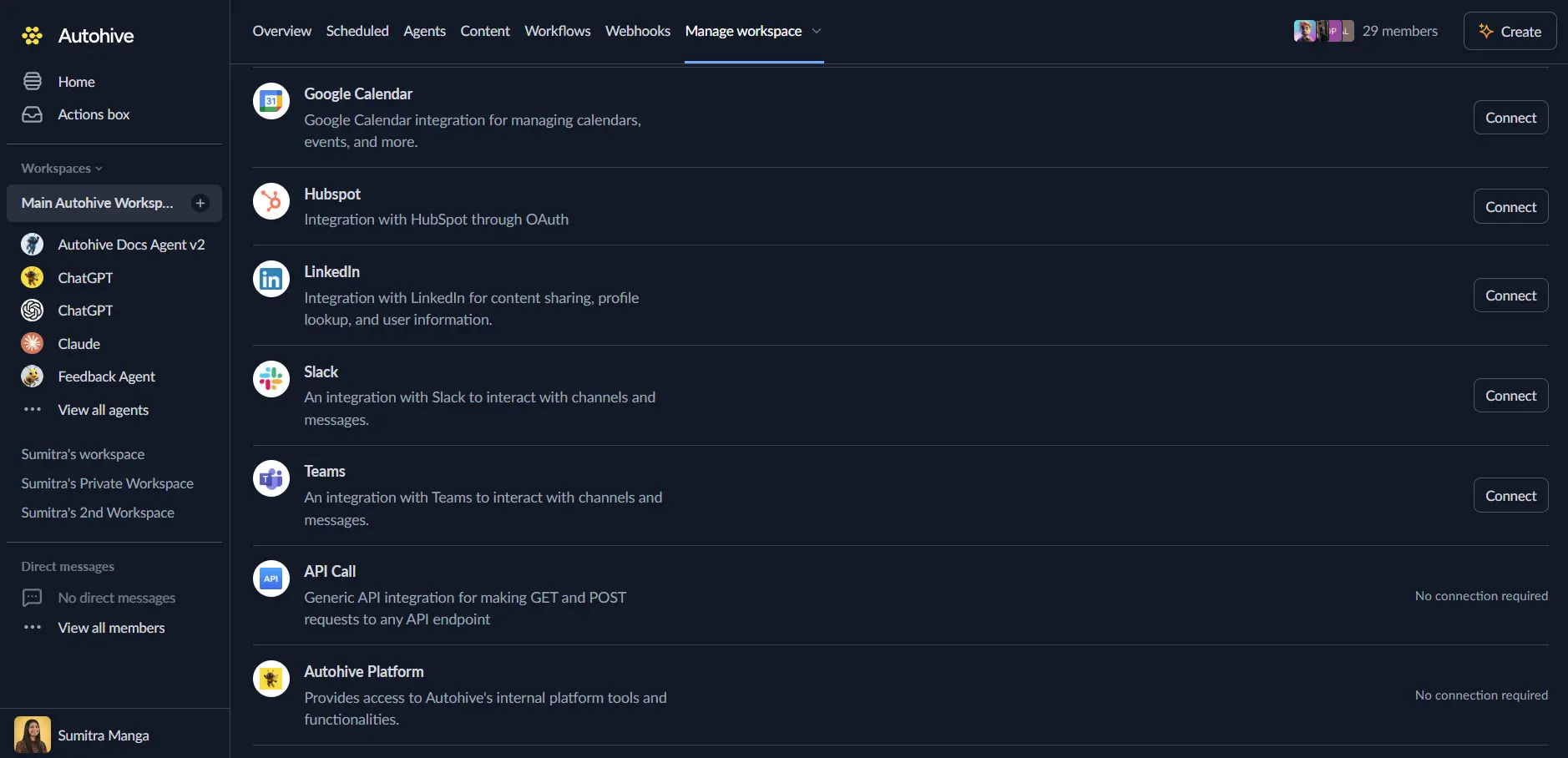
Authorize with TikTok - you’ll be redirected to TikTok’s authorization page
Review and approve permissions. Autohive requests access to:
- View basic user information and profile
- View user statistics (followers, likes)
- Upload and publish videos
- List published videos
Ensure you approve the permissions required in order for the integration to function as expected.
Confirm installation - you’ll be redirected to Autohive with “Connected” status displayed
Use the integration
You can now use the integration with your agents, workflows and scheduled tasks!
- Follow our Create your first agent guide on how to create an agent.
- In the ‘Agent settings’, scroll down to the ‘Add Integrations and Agents’ section, click ‘Add integrations and agents’, and select TikTok. You can choose what individual TikTok capabilities to turn on and off.
- Once the settings have been selected, begin prompting the agent with the workflow you’d like to achieve with Autohive and TikTok!
Available capabilities
User and Profile Management
- Get User Info: Retrieve TikTok account profile information including display name, avatar, bio, username, verification status, and profile deep link
- Get User Statistics: Access follower count, following count, total likes, and video count for the authenticated user
- Get Creator Info: Retrieve creator posting capabilities including available privacy levels, maximum video duration, and feature restrictions (comments, duets, stitches)
Video Publishing
- Create Video Post: Post videos directly to TikTok with customizable captions (up to 2200 characters), privacy levels, and engagement settings
- Upload Video Draft: Upload videos to TikTok inbox as drafts for later editing and posting through the TikTok app
- Get Post Status: Monitor video upload and publishing status with detailed progress tracking and error reporting
- Set Privacy Level: Choose from PUBLIC_TO_EVERYONE, MUTUAL_FOLLOW_FRIENDS, or SELF_ONLY visibility options
- Control Engagement: Configure comment, duet, and stitch settings individually for each video post
Photo Publishing
- Create Photo Post: Post 1-35 photos to TikTok with captions, hashtags, privacy settings, and automatic music options
- Photo URL Support: Use externally hosted photos from verified domains for photo post creation
Video Management and Analytics
- Get Videos: Retrieve a list of published videos with engagement metrics including views, likes, comments, and shares
- Video Details: Access video metadata including title, cover image, share URL, creation time, duration, and dimensions
- Pagination Support: Browse video history with cursor-based pagination (up to 20 videos per request)
Advanced Publishing Options
- Custom Cover Selection: Set video cover timestamp in milliseconds for thumbnail customization
- Branded Content Tags: Mark videos as branded/sponsored content or organic branded content for transparency
- Engagement Controls: Disable comments, duets, and stitches individually for each post to manage interaction types
Key features
Comprehensive Video Publishing
- Post videos directly to TikTok with full control over captions, hashtags, and privacy settings
- Support for captions up to 2200 characters for detailed video descriptions and hashtag strategies
- Granular privacy controls with three visibility levels for audience targeting
- Individual engagement feature toggles for comments, duets, and stitches per video
- Custom cover image selection by specifying timestamp for optimal thumbnail presentation
Draft Workflow Support
- Upload videos as drafts to TikTok inbox for later editing and review
- Edit drafts within the TikTok app before publishing for final adjustments
- Perfect for content approval workflows and multi-step publishing processes
- Status tracking for draft uploads with real-time progress monitoring
Photo Post Capabilities
- Create photo posts with 1-35 images for photo carousels and slideshows
- Automatic music addition for enhanced photo post engagement
- Same privacy and engagement controls as video posts
- Support for externally hosted photos from verified domains
Real-Time Status Tracking
- Monitor video upload progress with PROCESSING_UPLOAD and PROCESSING_DOWNLOAD status updates
- Track publishing completion with PUBLISH_COMPLETE status and post IDs
- Error detection with detailed failure reasons and error codes for troubleshooting
- Uploaded bytes tracking for large video file progress monitoring
Rich Profile and Creator Insights
- Access comprehensive user profile data including avatar, bio, and verification status
- Retrieve engagement statistics including follower count, following count, and total likes
- Get creator-specific capabilities including available privacy levels and feature restrictions
- Understand maximum video duration limits for content planning
Video Analytics and Management
- List all published videos with complete engagement metrics (views, likes, comments, shares)
- Access video metadata including creation time, duration, and dimensions
- Share URLs for easy video promotion and cross-platform distribution
- Cover image URLs for video thumbnails in external applications
Common use cases
Automated Content Publishing
- Schedule and post videos to TikTok automatically based on content calendars
- Upload videos from other systems (Google Drive, Dropbox) directly to TikTok
- Publish video content created by AI or automated video generation tools
- Distribute video content across multiple TikTok accounts for brand management
Social Media Management
- Create unified posting workflows that publish to TikTok and other platforms simultaneously
- Manage TikTok content alongside Instagram Reels, YouTube Shorts, and other short-form video platforms
- Schedule TikTok posts based on optimal engagement times derived from analytics
- Archive published videos with engagement data for performance analysis
Content Approval Workflows
- Upload videos as drafts for review and approval before publishing
- Implement multi-stage approval processes with draft upload and manual review in TikTok app
- Generate preview links from draft uploads for stakeholder review
- Track draft status to ensure all approved content is published
Engagement Tracking and Analytics
- Retrieve video performance metrics to analyze content effectiveness
- Track follower growth and engagement trends over time
- Export video analytics to business intelligence tools for reporting
- Monitor video performance in real-time for trending content identification
Branded Content Management
- Mark sponsored content with branded content tags for transparency and compliance
- Manage organic branded content for authentic brand partnerships
- Track branded content performance separately from regular posts
- Automate branded content disclosure for FTC compliance
Multi-Account Management
- Manage posting across multiple TikTok creator accounts from a single workflow
- Coordinate content distribution for agencies managing multiple client accounts
- Retrieve analytics across all managed accounts for unified reporting
- Monitor posting capabilities and restrictions across different account types
Disconnect the integration
Important: Disconnecting stops data synchronization but preserves existing data in both systems.
- Navigate to Your user profile -> Connections or Your workspace -> Integrations
- Find the TikTok Integration
- Click Disconnect and confirm
Data Impact: Existing data remains unchanged in both systems, but sync stops and Autohive loses TikTok API access.
Uninstall the app
From TikTok: Go to your TikTok Settings > Privacy > Manage Apps > Find Autohive and revoke access.