Shopify Storefront API
The Autohive Shopify Storefront API integration connects your Shopify store with Autohive’s automation platform, enabling:
- Product browsing - List, search, and retrieve product details with pagination and filtering capabilities
- Collection management - Browse product collections and retrieve collection details with products
- Shopping cart operations - Create, update, and manage shopping carts with line items and discount codes
- Customer account management - Create customer accounts, handle login/logout, and manage customer profiles
- Password recovery - Send password recovery emails to customers
- Checkout integration - Generate checkout URLs for seamless purchase completion
Install the integration
Log in to Autohive and navigate to Your user profile > Connections or Your workspace -> Integrations
Locate the Shopify Storefront API Integration card and click Connect to workspace
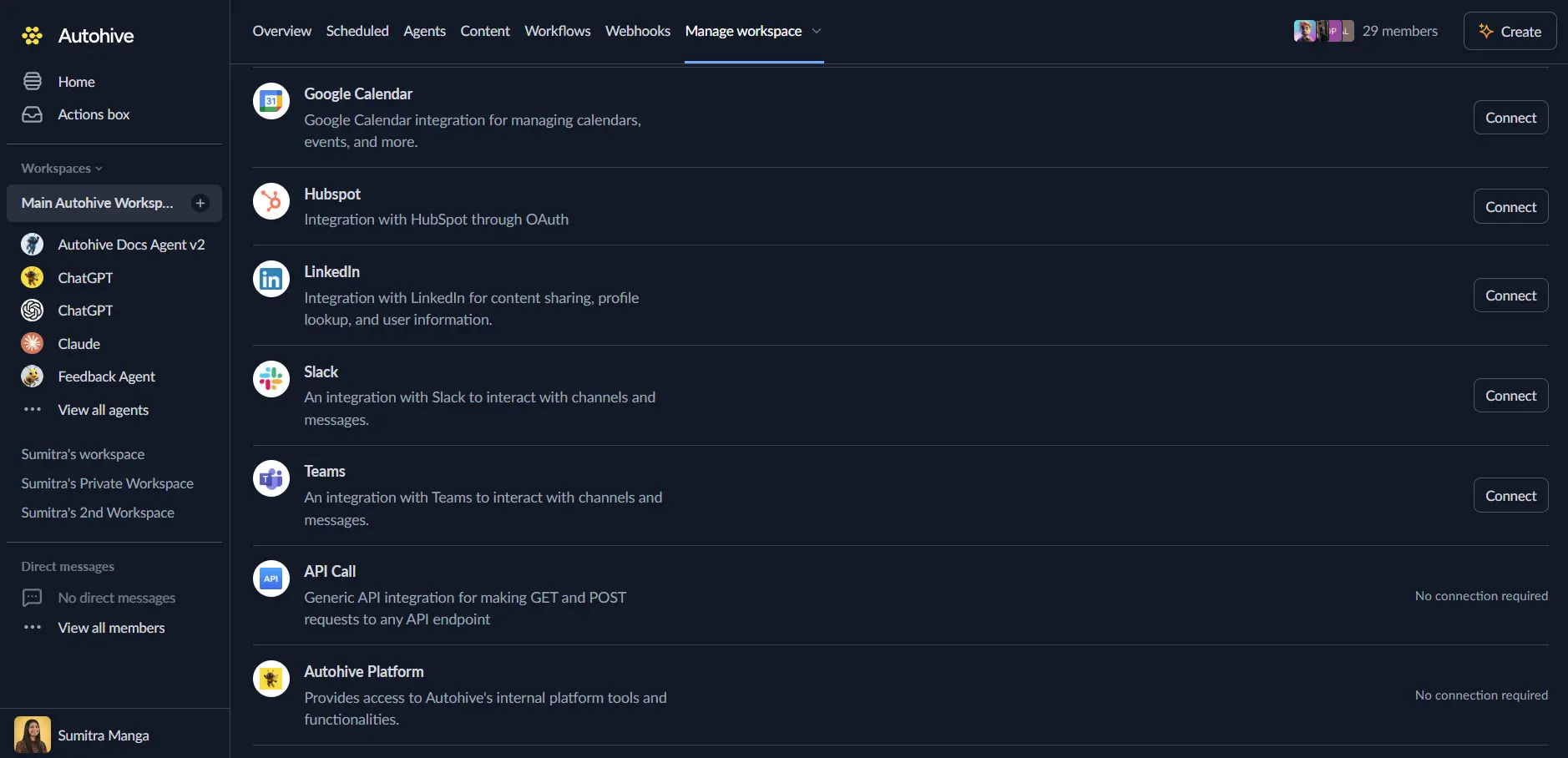
Authorize with Shopify - you’ll be redirected to Shopify’s authorization page
Review and approve permissions. Autohive requests access to:
- Read product listings and inventory
- Read and write checkouts
- Read and write customer information
Ensure you approve the permissions required in order for the integration to function as expected.
Confirm installation - you’ll be redirected to Autohive with “Connected” status displayed
Use the integration
You can now use the integration with your agents, workflows and scheduled tasks!
- Follow our Create your first agent guide on how to create an agent.
- In the ‘Agent settings’, scroll down to the ‘Add Integrations and Agents’ section, click ‘Add integrations and agents’, and select Shopify Storefront API. You can choose what individual Shopify capabilities to turn on and off.
- Once the settings have been selected, begin prompting the agent with the workflow you’d like to achieve with Autohive and Shopify Storefront API!
Available capabilities
Product Operations
- List Products: Browse products available in the storefront with pagination and filtering (up to 250 products per request)
- Get Product: Retrieve detailed product information by handle or GraphQL ID including variants, images, and pricing
- Search Products: Search products by keyword with configurable result limits
Collection Operations
- List Collections: Browse product collections in the storefront with pagination support
- Get Collection: Retrieve collection details with products, filtering, and customizable product count
Shopping Cart Management
- Create Cart: Create a new shopping cart, optionally with initial items and buyer identity information
- Get Cart: Retrieve cart contents, totals, and checkout URL for purchase completion
- Add to Cart: Add items to an existing cart with merchandise ID and quantity
- Update Cart Line: Modify quantity of items in cart for adjustment workflows
- Remove from Cart: Remove specific items from cart using line IDs
- Apply Discount Code: Apply discount codes to carts for promotional campaigns
Customer Account Management
- Create Customer: Create new customer accounts with email, password, and profile information
- Customer Login: Authenticate customers and receive access tokens for profile management
- Get Customer: Retrieve customer profile information using access token
- Update Customer: Modify customer profile details including email, name, phone, and marketing preferences
- Recover Customer Password: Send password recovery emails for account access restoration
Key features
Comprehensive Product Discovery
- List and search products with flexible filtering (title, tags, product type)
- Support for pagination with cursor-based navigation (up to 250 products per page)
- Access complete product details including variants, images, pricing, and availability
- Product handle and GraphQL ID-based retrieval for flexible integration patterns
Collection-Based Navigation
- Browse product collections for organized product discovery
- Retrieve collection details with associated products
- Customizable product count per collection (up to configurable limit)
- Pagination support for large product catalogs
Advanced Cart Management
- Create carts with initial line items for streamlined checkout workflows
- Update cart contents with add, update, and remove operations
- Apply discount codes programmatically for promotional automation
- Buyer identity tracking with email and country code for personalization
- Automatic checkout URL generation for seamless purchase completion
Customer Lifecycle Management
- Self-service customer account creation with profile information
- Secure customer authentication with access token generation
- Profile management capabilities for email, name, phone, and preferences
- Marketing opt-in/opt-out support for compliance and communication preferences
- Password recovery workflows for account access restoration
E-commerce Automation Ready
- GraphQL-based API for efficient data retrieval and manipulation
- Support for unauthenticated operations for public storefront access
- Cursor-based pagination for scalable product catalog navigation
- Detailed error handling with success flags and descriptive messages
Common use cases
Conversational Commerce
- Build chatbots that browse products and answer customer questions
- Automate product recommendations based on customer preferences
- Create interactive shopping experiences with natural language product search
- Generate personalized product suggestions from conversation context
Cart Abandonment Recovery
- Monitor cart creation events to identify abandoned carts
- Send automated reminder emails with cart contents and checkout links
- Apply discount codes to incentivize purchase completion
- Track cart recovery success rates for optimization
Customer Onboarding Automation
- Automate customer account creation from marketing campaigns
- Send welcome emails with login credentials and first-purchase discounts
- Sync customer data with CRM and marketing automation platforms
- Create personalized onboarding workflows based on customer profile
Product Catalog Synchronization
- Sync Shopify products with external systems (PIM, ERP, marketplace platforms)
- Automate product listing updates across multiple sales channels
- Monitor product availability and trigger restock notifications
- Export product data for analytics and business intelligence
Promotional Campaign Automation
- Apply discount codes to carts programmatically for targeted promotions
- Create time-limited campaigns with automated discount application
- Track promotional code usage and conversion rates
- Generate unique discount codes for customer segments
Customer Support Integration
- Access customer profile information for personalized support interactions
- Retrieve order history and cart contents for context-aware assistance
- Update customer preferences and contact information from support tickets
- Initiate password recovery workflows from support channels
Disconnect the integration
Important: Disconnecting stops data synchronization but preserves existing data in both systems.
- Navigate to Your user profile -> Connections or Your workspace -> Integrations
- Find the Shopify Storefront API Integration
- Click Disconnect and confirm
Data Impact: Existing data remains unchanged in both systems, but sync stops and Autohive loses Shopify API access.
Uninstall the app
From Shopify: Go to your Shopify Admin > Settings > Apps and sales channels > Find Autohive and uninstall.