Shopify Customer Account
The Autohive Shopify Customer Account integration connects your Shopify customer accounts with Autohive’s automation platform, enabling:
- Profile management - Access and update customer profile information including name, phone, and marketing preferences
- Address management - Create, update, delete, and set default addresses with full address lifecycle control
- Order history - View customer order history with detailed order information and pagination support
- OAuth authentication - Generate OAuth URLs and exchange authorization codes for secure customer authentication
- Token management - Refresh access tokens for maintaining customer sessions
- Self-service capabilities - Enable customers to manage their own accounts through automated workflows
Install the integration
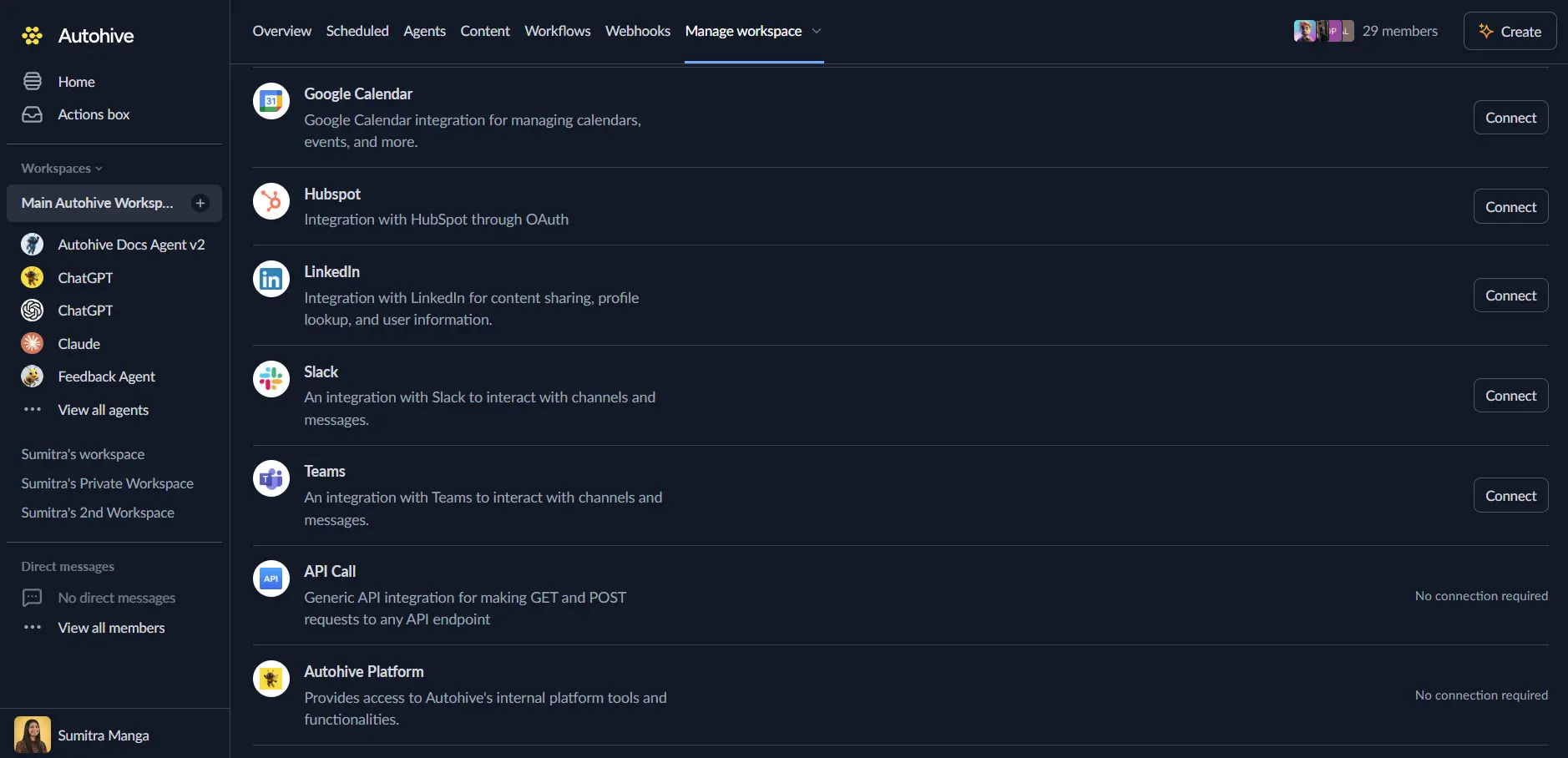
Log in to Autohive and navigate to Your user profile > Connections or Your workspace -> Integrations
Locate the Shopify Customer Account Integration card and click Connect to workspace
Authorize with Shopify - you’ll be redirected to Shopify’s authorization page
Review and approve permissions. Autohive requests access to:
- Access customer profile information
- Manage customer addresses
- View order history
- Full customer account API access
Ensure you approve the permissions required in order for the integration to function as expected.
Confirm installation - you’ll be redirected to Autohive with “Connected” status displayed
Use the integration
You can now use the integration with your agents, workflows and scheduled tasks!
- Follow our Create your first agent guide on how to create an agent.
- In the ‘Agent settings’, scroll down to the ‘Add Integrations and Agents’ section, click ‘Add integrations and agents’, and select Shopify Customer Account. You can choose what individual Shopify Customer Account capabilities to turn on and off.
- Once the settings have been selected, begin prompting the agent with the workflow you’d like to achieve with Autohive and Shopify Customer Account!
Available capabilities
Profile Management
- Get Customer Profile: Retrieve customer’s own profile information including name, email, phone, and marketing preferences
- Update Customer Profile: Update customer profile fields including first name, last name, phone number, and marketing acceptance status
Address Management
- List Addresses: Browse customer’s saved addresses with pagination support (up to 20 per request) and default address identification
- Create Address: Add new addresses with required fields (address1, city, country, zip) and optional details (company, phone, province)
- Update Address: Modify existing address details by address ID with flexible field updates
- Delete Address: Remove addresses from customer account by address ID
- Set Default Address: Mark a specific address as the default for shipping and billing
Order History
- List Orders: Browse customer’s order history with pagination support (up to 10 per request) and cursor-based navigation
- Get Order: Retrieve detailed information about a specific order including items, pricing, shipping, and status
OAuth and Authentication
- Generate OAuth URL: Create OAuth authorization URLs for customer login with PKCE support and custom scopes
- Exchange Authorization Code: Convert authorization codes to access tokens using PKCE code verifier
- Refresh Access Token: Obtain new access tokens using refresh tokens for session management
Key features
Customer Self-Service
- Enable customers to view and update their own profile information
- Allow customers to manage multiple addresses for shipping and billing
- Provide order history access for tracking and reordering workflows
- Support marketing preference management for GDPR compliance
Address Lifecycle Management
- Full CRUD operations for customer addresses with validation
- Default address designation for streamlined checkout experiences
- Support for international addresses with country, province, and postal code fields
- Company and phone number fields for business customers
Order History Access
- Paginated order browsing for customers with large order histories (up to 10 per page)
- Detailed order information including line items, pricing, and fulfillment status
- GraphQL ID-based order retrieval for precise order lookups
- Cursor-based pagination for efficient data navigation
OAuth 2.0 PKCE Authentication
- Secure customer authentication using OAuth 2.0 with PKCE flow
- Generate authorization URLs with state and code verifier for security
- Exchange authorization codes for access and refresh tokens
- Token refresh capability for maintaining long-lived customer sessions
GraphQL API Integration
- Native GraphQL support for efficient data querying
- GraphQL ID references for addresses and orders
- Structured error handling with success flags and messages
- Flexible pagination with cursors and hasNextPage indicators
Common use cases
Customer Support Automation
- Build chatbots that allow customers to view and update their profile information
- Automate address updates for customers moving to new locations
- Provide order status lookup through conversational interfaces
- Enable self-service password resets and account recovery workflows
Order Management Workflows
- Display order history to customers in custom portals or mobile apps
- Trigger reorder workflows based on past purchase history
- Send automated order status updates with detailed tracking information
- Create personalized recommendations based on order history analysis
Address Validation and Management
- Validate customer addresses during checkout or profile updates
- Suggest default addresses for faster checkout experiences
- Clean up duplicate or outdated addresses through automated workflows
- Standardize address formats for shipping provider integration
Marketing Preference Management
- Update customer marketing preferences based on email interactions
- Sync marketing consent status with email marketing platforms
- Automate GDPR compliance workflows for consent management
- Track marketing preference changes for audit and reporting
Customer Portal Development
- Build custom customer portals with profile and order management
- Create mobile apps with native address and order viewing capabilities
- Integrate Shopify customer data into existing customer portals
- Enable customers to manage their accounts across multiple channels
Authentication and Security
- Implement secure customer login flows using OAuth 2.0 PKCE
- Generate authorization URLs for headless commerce applications
- Manage customer sessions with token refresh automation
- Integrate Shopify customer authentication with custom identity providers
Disconnect the integration
Important: Disconnecting stops data synchronization but preserves existing data in both systems.
- Navigate to Your user profile -> Connections or Your workspace -> Integrations
- Find the Shopify Customer Account Integration
- Click Disconnect and confirm
Data Impact: Existing data remains unchanged in both systems, but sync stops and Autohive loses Shopify Customer Account API access.
Uninstall the app
From Shopify: Go to your Shopify Admin > Settings > Apps and sales channels > Find Autohive and uninstall.