GitLab
The Autohive GitLab integration connects your GitLab account with Autohive’s automation platform, enabling:
- Project management - List, retrieve, and manage projects with visibility and membership filtering
- Issue tracking - Create, update, and monitor issues with advanced filtering and search capabilities
- Merge request workflows - Manage merge requests with change tracking, commit history, and approval status
- Branch operations - List and monitor branches with protection status and commit information
- Commit tracking - Browse commit history with filtering by date, author, and file path
- Pipeline monitoring - Track CI/CD pipelines with job details and execution status
- Repository browsing - Navigate repository files and directories with raw content access
- Container registry - Access container repositories, tags, and image metadata
Install the integration
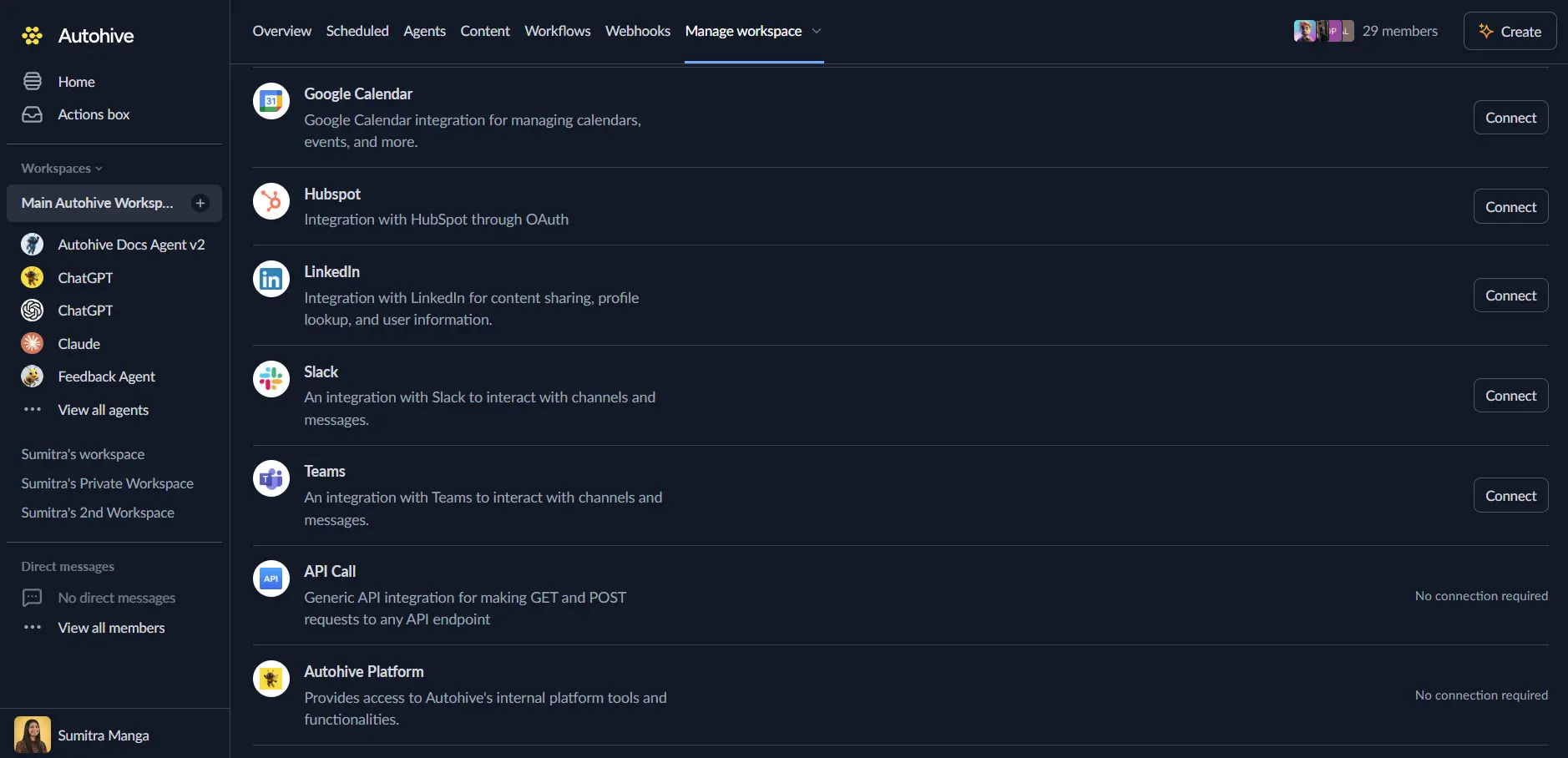
Log in to Autohive and navigate to Your user profile > Connections or Your workspace -> Integrations
Locate the GitLab Integration card and click Connect to workspace
Authorize with GitLab - you’ll be redirected to GitLab’s authorization page
Review and approve permissions. Autohive requests access to:
- Read API access for projects, issues, and merge requests
- Read user profile information
- Read repository and registry data
Ensure you approve the permissions required in order for the integration to function as expected.
Confirm installation - you’ll be redirected to Autohive with “Connected” status displayed
Use the integration
You can now use the integration with your agents, workflows and scheduled tasks!
- Follow our Create your first agent guide on how to create an agent.
- In the ‘Agent settings’, scroll down to the ‘Add Integrations and Agents’ section, click ‘Add integrations and agents’, and select GitLab. You can choose what individual GitLab capabilities to turn on and off.
- Once the settings have been selected, begin prompting the agent with the workflow you’d like to achieve with Autohive and GitLab!
Available capabilities
User Management
- Get Current User: Retrieve authenticated user information including username, email, name, and avatar
Project Management
- List Projects: Browse accessible projects with filtering by ownership, membership, starred status, visibility, and search (up to 100 per page)
- Get Project: Retrieve detailed project information including statistics, namespace, and configuration
Issue Operations
- List Issues: Query issues globally or by project with filtering by state, labels, milestone, assignee, author, and date range (up to 100 per page)
- Get Issue: Access detailed issue information including title, description, labels, assignees, and milestone
Merge Request Management
- List Merge Requests: Browse merge requests globally or by project with filtering by state, labels, milestone, reviewers, and branches (up to 100 per page)
- Get Merge Request: Retrieve detailed merge request information including source/target branches, state, and approvals
- Get Merge Request Changes: Access the diff of merge request changes for code review
- List Merge Request Commits: View all commits associated with a merge request
Branch Management
- List Branches: Browse repository branches alphabetically with search and regex filtering (up to 100 per page)
- Get Branch: Retrieve branch details including latest commit, protection status, and merge status
Commit Operations
- List Commits: Browse commit history with filtering by branch, date range, path, and author (up to 100 per page)
- Get Commit: Access detailed commit information including message, author, stats, and parent commits
- Get Commit Diff: View the complete diff of a commit showing all file changes
Repository Browsing
- List Repository Tree: Navigate files and directories at specific paths and refs with recursive listing support (up to 100 per page)
- Get File: Retrieve file metadata and base64-encoded content from the repository
- Get File Raw: Access file raw content as plain text for direct processing
- Compare Branches: Compare two branches, tags, or commits showing commits and diffs between them
Pipeline and CI/CD
- List Pipelines: Browse CI/CD pipelines with filtering by status, ref, SHA, source, and date range (up to 100 per page)
- Get Pipeline: Retrieve detailed pipeline information including duration, coverage, and execution status
- List Pipeline Jobs: View all jobs for a specific pipeline with filtering by scope and retry status
Container Registry
- List Container Registry Repositories: Browse container repositories for a project with optional tags and counts (up to 100 per page)
- Get Container Registry Repository: Retrieve detailed repository information including tags
- List Container Registry Tags: Browse all tags for a container repository (up to 100 per page)
- Get Container Registry Tag: Access tag details including manifest digest, created date, and location
Key features
Comprehensive Project Management
- Full project discovery with ownership, membership, and starred filtering
- Visibility-based filtering (public, internal, private) for access control
- Flexible sorting by name, path, creation date, or last activity
- Project statistics including commit count, storage size, and repository metrics
Advanced Issue Tracking
- Global and project-level issue browsing with powerful filtering
- Search issues by title and description with full-text capabilities
- Filter by state (opened, closed, all), labels, milestones, and assignees
- Date range filtering for created and updated timestamps
- Support for priority, due date, and weight-based sorting
Merge Request Workflows
- Complete merge request lifecycle management from creation to merge
- View detailed changes with file diffs for code review workflows
- Track commits associated with merge requests for audit trails
- Filter by state (opened, closed, merged, all) and reviewer assignments
- Source and target branch filtering for specific workflow monitoring
Branch and Commit Management
- Branch protection status visibility for access control
- Commit history with advanced filtering by author, date, and file path
- Full commit diff access for change analysis and code review
- Compare branches, tags, or commits with comprehensive diff output
- Support for first-parent traversal on merge commits
CI/CD Pipeline Monitoring
- Real-time pipeline status tracking (created, pending, running, success, failed, canceled)
- Filter pipelines by branch, tag, commit SHA, and trigger source
- Job-level visibility with stage, status, and duration information
- Pipeline duration and test coverage metrics for performance analysis
Repository File Operations
- Navigate repository structure with recursive tree listing
- Access file content in both base64-encoded and raw text formats
- Support for specific branch, tag, or commit SHA references
- File metadata including size, encoding, and last commit information
Container Registry Integration
- Browse container repositories with tag listings and counts
- Access image tag details including manifest digest and creation date
- Tag-level granularity for image version management
- Support for multi-repository projects and image organization
Enterprise-Ready
- OAuth 2.0 platform authentication with GitLab integration
- Support for both GitLab.com and self-hosted GitLab instances
- Pagination support (up to 100 items per page) for large data sets
- Comprehensive error handling with detailed API error messages
Common use cases
Development Workflow Automation
- Automatically notify teams when new merge requests are created or updated
- Monitor pipeline status and alert on failures for immediate response
- Track issue progress and trigger workflows when status changes
- Generate daily summaries of project activity for team standups
Code Review Coordination
- Fetch merge request changes to prepare automated code review reports
- List pending merge requests requiring approval for review assignment
- Track merge request commits to ensure code review completeness
- Compare branches to validate feature readiness before merge
Release Management
- List branches matching release patterns for version tracking
- Monitor pipeline success rates for release candidates
- Track commits by date range for changelog generation
- Compare release branches to identify included changes
Issue Management Workflows
- Search issues by labels and milestones for sprint planning
- Filter issues by assignee and state for workload distribution
- Monitor issue creation and update timestamps for SLA tracking
- Retrieve issue details for automated customer support responses
CI/CD Pipeline Monitoring
- Track pipeline status across multiple projects for deployment coordination
- List failed jobs for automated failure analysis and notification
- Monitor pipeline duration for performance regression detection
- Filter pipelines by trigger source for workflow-specific metrics
Container Image Management
- List container repositories for image inventory management
- Track container tag creation for deployment automation
- Monitor image tags for security scanning and compliance workflows
- Access manifest digests for image verification and provenance
Repository Analysis
- Browse repository structure for documentation generation
- Access file content for automated code analysis and linting
- Track commit history for code churn and contribution metrics
- Compare branches for feature completion validation
Project Discovery and Organization
- List projects by ownership for personal project management
- Filter projects by membership for team collaboration visibility
- Search projects by name for quick access in automation workflows
- Track starred projects for priority project monitoring
Disconnect the integration
Important: Disconnecting stops data synchronization but preserves existing data in both systems.
- Navigate to Your user profile -> Connections or Your workspace -> Integrations
- Find the GitLab Integration
- Click Disconnect and confirm
Data Impact: Existing data remains unchanged in both systems, but sync stops and Autohive loses GitLab API access.
Uninstall the app
From GitLab: Go to your GitLab User Settings > Applications > Authorized Applications > Find Autohive and revoke access.