BigQuery
The Autohive Google BigQuery integration connects your Google Cloud data warehouse with Autohive’s automation platform, enabling:
- SQL query execution - Run standard and legacy SQL queries with automatic result parsing and dry run for cost estimation
- Dataset management - Create, list, retrieve, and delete datasets with location and label support
- Table operations - Manage tables with schema definition, time partitioning, and clustering capabilities
- Streaming data inserts - Insert rows in real-time using BigQuery’s streaming API with error handling
- Job monitoring - Track query jobs with status filtering and detailed execution statistics
- Project discovery - List accessible Google Cloud projects for cross-project data analysis
Install the integration
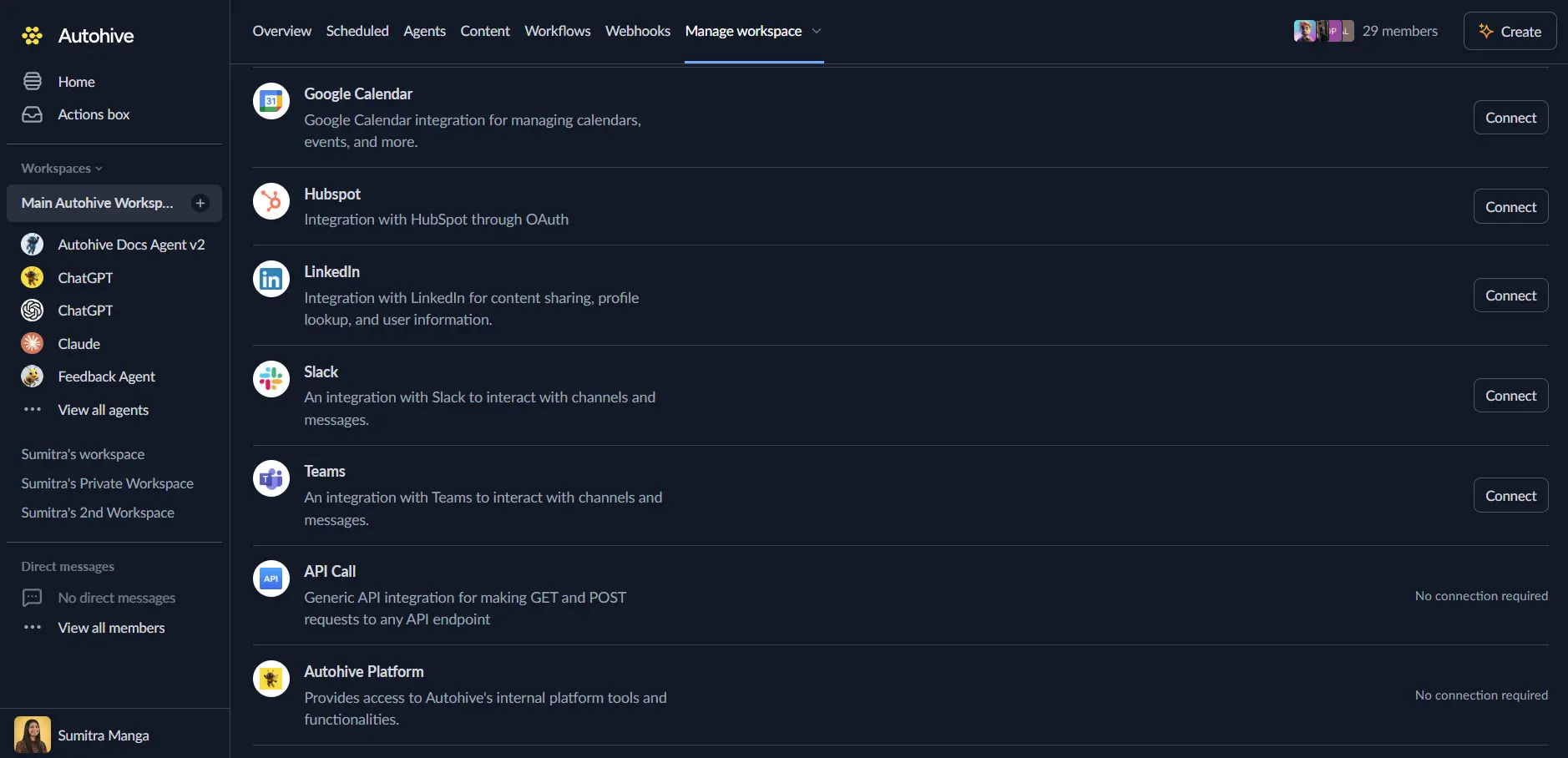
Log in to Autohive and navigate to Your user profile > Connections or Your workspace -> Integrations
Locate the Google BigQuery Integration card and click Connect to workspace
Authorize with Google - you’ll be redirected to Google’s authorization page
Review and approve permissions. Autohive requests access to:
- View and manage data in Google BigQuery
Ensure you approve the permissions required in order for the integration to function as expected.
Confirm installation - you’ll be redirected to Autohive with “Connected” status displayed
Use the integration
You can now use the integration with your agents, workflows and scheduled tasks!
- Follow our Create your first agent guide on how to create an agent.
- In the ‘Agent settings’, scroll down to the ‘Add Integrations and Agents’ section, click ‘Add integrations and agents’, and select Google BigQuery. You can choose what individual BigQuery capabilities to turn on and off.
- Once the settings have been selected, begin prompting the agent with the workflow you’d like to achieve with Autohive and BigQuery!
Available capabilities
Query Execution
- Run SQL Query: Execute standard or legacy SQL queries with configurable timeouts and result limits (up to 10,000 rows)
- Get Query Results: Retrieve results from long-running query jobs with pagination support
- Dry Run Queries: Validate queries and estimate bytes processed without executing or incurring costs
Dataset Management
- List Datasets: Browse all datasets in a project with pagination and filtering by labels
- Get Dataset: Retrieve dataset metadata including location, creation time, and labels
- Create Dataset: Create new datasets with custom locations (US, EU, multi-region), descriptions, and expiration settings
- Delete Dataset: Remove datasets with optional cascade deletion of all contained tables
Table Operations
- List Tables: Browse all tables in a dataset with pagination support
- Get Table: Retrieve table metadata including schema, row count, size, and partitioning configuration
- Create Table: Create new tables with custom schemas, time partitioning (DAY, HOUR, MONTH, YEAR), clustering (up to 4 fields), and expiration settings
- Delete Table: Remove tables from datasets
- Insert Rows: Stream data into tables in real-time with options to skip invalid rows and ignore unknown values
Job Management
- List Jobs: Browse recent BigQuery jobs with filtering by state (done, pending, running), user, and creation time
- Get Job: Retrieve detailed job information including status, statistics, and configuration
Project Discovery
- List Projects: Discover all Google Cloud projects the user has access to with pagination support
Key features
Comprehensive SQL Support
- Execute both standard SQL and legacy SQL dialects for backward compatibility
- Automatic result parsing from BigQuery’s nested response format to simple dictionaries
- Support for all BigQuery data types including RECORD, JSON, GEOGRAPHY, and nested fields
- Query timeout configuration (up to customizable milliseconds) for long-running analytics
Advanced Table Management
- Time partitioning support (DAY, HOUR, MONTH, YEAR) for efficient date-based queries
- Clustering on up to 4 fields for improved query performance and cost reduction
- Flexible schema definition with NULLABLE, REQUIRED, and REPEATED field modes
- Table and partition expiration settings for automatic data lifecycle management
Real-Time Data Streaming
- Stream rows directly into tables using BigQuery’s streaming insert API
- Configurable error handling with skip_invalid_rows and ignore_unknown_values options
- Insert error reporting for troubleshooting data quality issues
- Ideal for real-time analytics and event streaming workflows
Cost Optimization
- Dry run capability estimates bytes processed before query execution
- Cache hit detection shows when queries use cached results at zero cost
- Result set size limits (up to 10,000 rows) protect infrastructure from excessive memory usage
- Pagination support for efficiently processing large result sets
Enterprise-Ready
- OAuth 2.0 platform authentication with Google Cloud IAM integration
- Multi-region support (US, EU, specific regions like us-central1, australia-southeast1)
- Location specification for data residency and regulatory compliance
- Comprehensive error handling with detailed error messages
Common use cases
Data Warehouse Automation
- Execute scheduled SQL queries for daily, weekly, or monthly reporting
- Automate ETL pipelines by loading data from external sources into BigQuery tables
- Create and manage datasets programmatically for multi-tenant data organization
- Stream real-time events into BigQuery tables for immediate analytics
Business Intelligence Workflows
- Query data warehouse tables and deliver results to stakeholders via Slack or email
- Generate dynamic reports by combining BigQuery data with other integrated systems
- Automate dashboard refreshes by triggering queries based on business events
- Extract insights from large datasets for decision-making workflows
Data Pipeline Management
- Monitor query job status and alert on failures or performance issues
- Validate new queries with dry runs before deploying to production
- Create tables with partitioning and clustering based on data analysis requirements
- Manage dataset lifecycle with automated expiration and cleanup workflows
Cross-System Analytics
- Join BigQuery data with CRM, marketing, or operational systems connected to Autohive
- Export query results to Google Sheets, databases, or data visualization tools
- Aggregate data from multiple Google Cloud projects for unified reporting
- Trigger workflows based on BigQuery query results and thresholds
Disconnect the integration
Important: Disconnecting stops data synchronization but preserves existing data in both systems.
- Navigate to Your user profile -> Connections or Your workspace -> Integrations
- Find the Google BigQuery Integration
- Click Disconnect and confirm
Data Impact: Existing data remains unchanged in both systems, but sync stops and Autohive loses BigQuery API access.
Uninstall the app
From Google: Go to your Google Account settings > Security > Third-party apps with account access > Find Autohive and revoke access.