Agent ecosystem
Think of Autohive’s agent ecosystem as your personal directory of AI teammates, each one specialised, ready to collaborate, and designed to make your workday genuinely better.
Meet your extended team
The agent ecosystem isn’t just a fancy name for our software library. It’s your gateway to agents who actually understand what you need:
- Ready-to-work agents: Our growing collection of AI specialists, each trained for specific tasks and industries
- Community contributions: Soon, you’ll discover agents shared by other Autohive users who’ve solved similar challenges
- Custom teammates: Eventually, you’ll be able to train agents specifically for your unique workflows
Finding your next AI colleague: the agents section
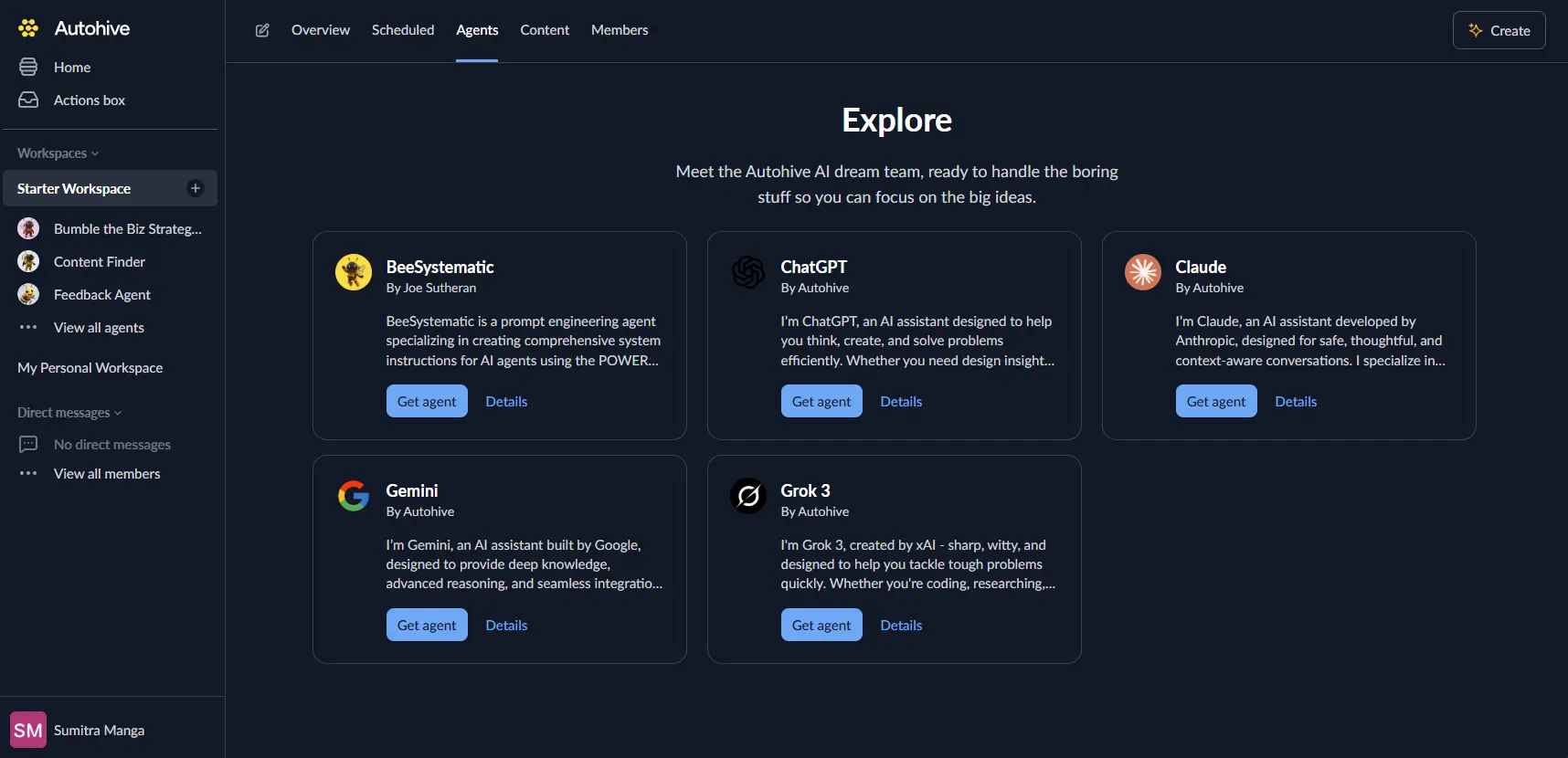
The Agents section is where you’ll discover which agents could transform your next frustrating task into something you actually look forward to.
- Getting there: Look for “Agents” in your top navigation when a workspace is selected. Select ‘Browse agents’
- Agent profile: Each agent has a short description explaining what they’re brilliant and how they can help you.
Your go-to crew: the agents sidebar
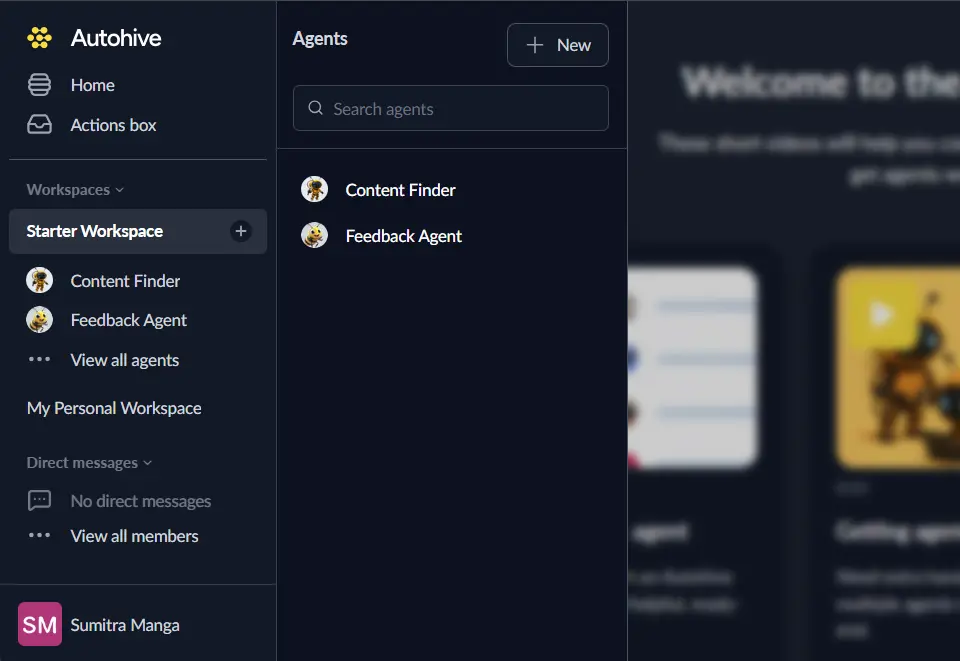
Once you’ve found agents you love working with, they’ll appear in your Agents sidebar, which is your quick-access menu for getting help fast.
- Instant collaboration: No more hunting through menus when you need help because your favourite agents are always one click away.
- Personalised organisation: Arrange your agents however makes sense for your workflow:
- Temporarily pause agents in Scheduled that you’re not using
- Access detailed settings when you need to fine-tune how they work
Working together
Collaborate with your agents that feel natural:
- Conversational approach: Just chat normally in the main window/chat view, or @mention specific agents when you need their expertise.
- Smart communication: Some agents work best with specific types of information, and they’ll guide you on what they need to help you succeed.
Why this ecosystem changes everything
- Expand your capabilities: Access expertise in areas where you’re not the specialist as your agents fill those gaps.
- Work smarter, not harder: The right AI colleague for each task means less time wrestling with unfamiliar tools.
- Grow your team effortlessly: New agents join your toolkit as easily as adding a contact to your phone.
- Make it yours: Build a personalised suite of agents that perfectly matches how you work.
Your agent ecosystem isn’t about replacing human creativity and insight, it’s about amplifying what you do best while handling the tasks that drain your energy.
Managing your agents
Deleting an agent
When you need to remove an agent from your workspace, you can delete it through the agent options menu. Here’s what you need to know:
What gets deleted:
- The agent is removed from your workspace
- All 1-on-1 conversations with this agent are deleted
- All scheduled jobs for this agent are deleted
- All webhooks that trigger this agent are deleted
What remains:
- Previous messages from this agent in group chats remain visible
Deletion restrictions:
You cannot delete an agent if it’s currently being used by:
- Workflows - The agent is part of one or more workflows
- Other agents - The agent is configured to help other agents with their tasks
To delete an agent that’s blocked, you must first:
- Remove it from all workflows where it’s used
- Remove it from other agents’ capabilities
To delete an agent:
- Navigate to the Agents section in your workspace
- Find the agent you want to delete
- Click the agent options menu (three dots)
- Select “Delete agent”
- Confirm the deletion
Ready to create your own agent? Head to our Creating your first agent guide to start exploring and see which teammates could transform your tomorrow.